

Appearance
Risks & issues register
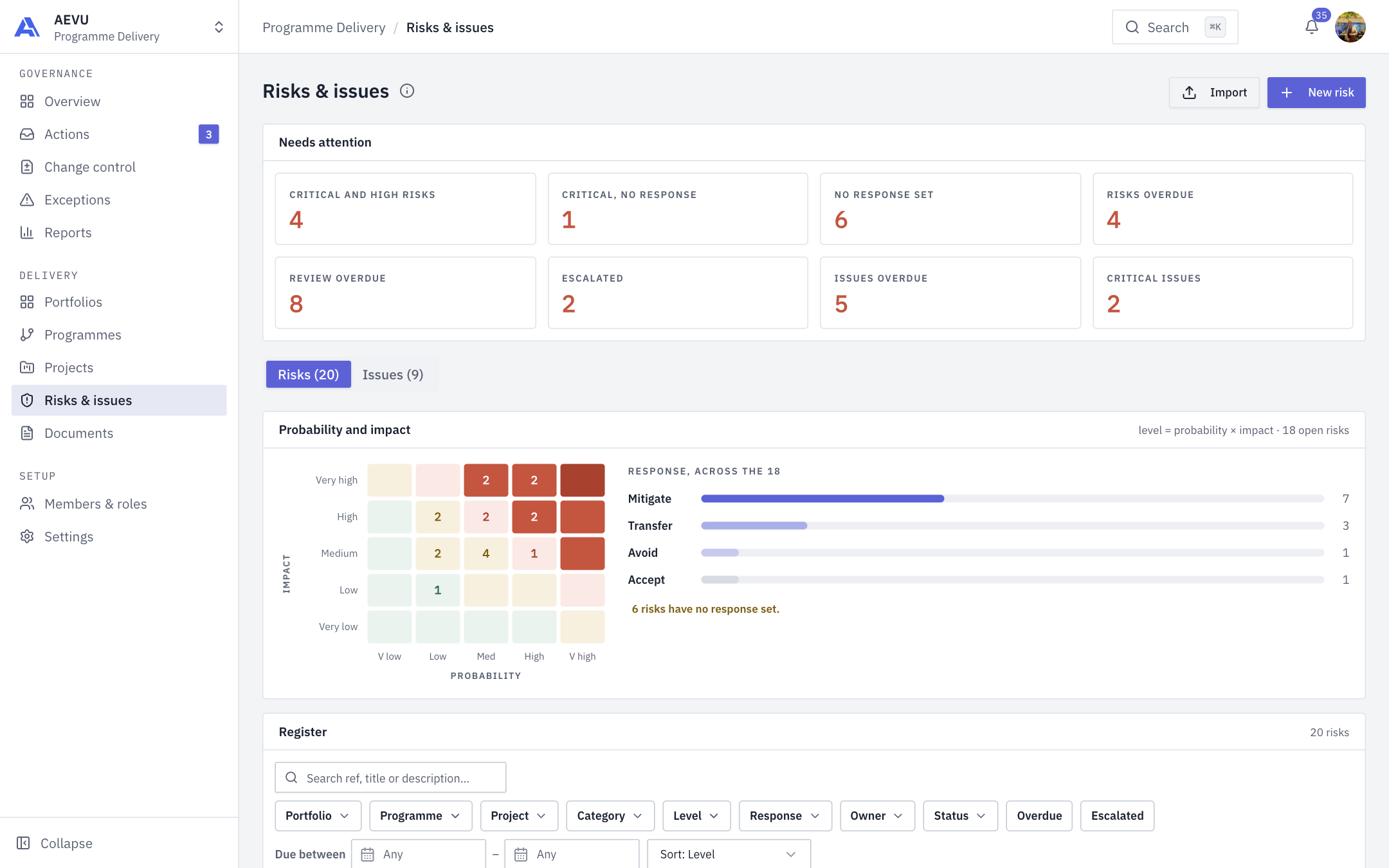
This register shows every risk and issue across the projects you can see, with heat maps and a "needs attention" panel above the list.
Who can use it
The Risks & issues item needs risk.view or issue.view. You see a Risks tab and/or an Issues tab depending on which you hold. The info icon "About this register" explains that it covers only projects you can see. Adding records needs risk.manage or issue.manage.
Needs attention
Tiles above the register count records that need action, and clicking one filters the list to exactly those rows. Tiles with zero are hidden.
- Risks: Critical and high risks, Critical, no response, No response set, Risks overdue, Review overdue, Escalated.
- Issues: Issues overdue, Critical issues.
A record can be in more than one tile, so the tiles do not add up to a total. Only live projects count.
If risk alert rules are set up, the Alerts section lists triggered alerts (see Risk alert rules).
Finding records
Use search (a reference like R-012 or I-3 works), then filters: status, priority, project, portfolio, programme, owner or assignee, due dates, and the Overdue and Escalated toggles. Sort by due date, priority or age. Filters are kept in the page address, so you can share a link. The risks tab also has probability-and-impact and response breakdowns.
Adding a record
- Click New risk, Raise an issue, or Import (risks).
- Pick the project. Only projects where you can manage risks or issues are listed.
- Complete the drawer. See Risks and Issues.
Click any row to open its drawer.
TIP
Import opens the spreadsheet import wizard when your workspace allows it.