

Appearance
Document templates
A document template is the folder structure every new project starts with, plus the documents each folder expects. Stage gate requirements are picked from these documents.
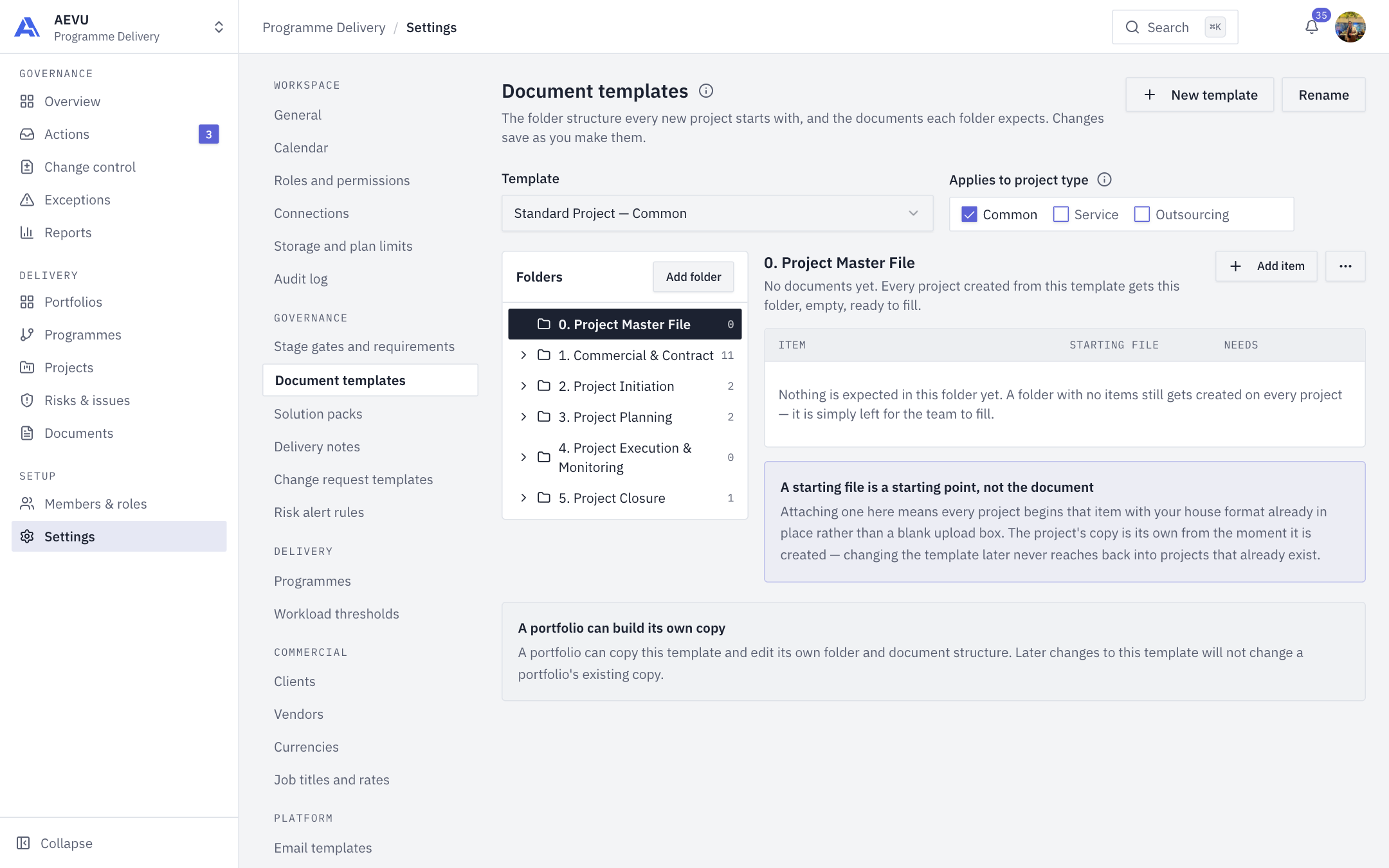
Who can open it: template.view. Who can edit: template.manage (Owner, Admin and PMO by default). Changes save as you make them.
What a template does
- New projects get the template's folders and expected-document placeholders.
- A project's category picks its template: Common, Service or Outsourcing. A category answers to exactly one template, so ticking it on one template unticks it elsewhere. A project inside a portfolio takes the portfolio's category.
- A template is a starting point. Changing or deleting it never alters projects already created.
New workspaces get two structures, Standard Project and Managed Service. Both are fully editable.
Manage templates
| Action | How |
|---|---|
| Create | New template. Name up to 200 characters, optional description up to 1000 |
| Rename | Rename |
| Choose categories | Tick Applies to project type |
| Delete | Delete template. Only offered when the template has no categories and another template exists |
Folders and documents
- Pick a template in the Template selector.
- Use Add folder. Name it (for example
02 Governance) and choose where it sits (Inside). Folders nest at most 6 levels deep. - Use the folder actions menu to rename, move or delete a folder. Deleting removes its subfolders and documents.
- Add a document the folder expects. Give it a name and optionally switch on Needs client sign-off. PMO approval is separate and happens on the document itself.
Starting files
A document row can carry a starting file ("Attach a starting file" or "Replace the starting file"). A project begins with that house format in place instead of a blank upload box. Empty files, files over the upload limit (25 MB for a starting file) and unsupported types are refused. Accepted types: PDF, Word (.doc, .docx), Excel (.xls, .xlsx), PowerPoint (.ppt, .pptx), PNG, JPG/JPEG and TXT. A starting file counts toward storage.
WARNING
Deleting a folder deletes its documents' stage gate requirements too. Check Stage gates afterwards.
INFO
Name limits: 500 characters for folders and documents.