

Appearance
Storage & plan limits
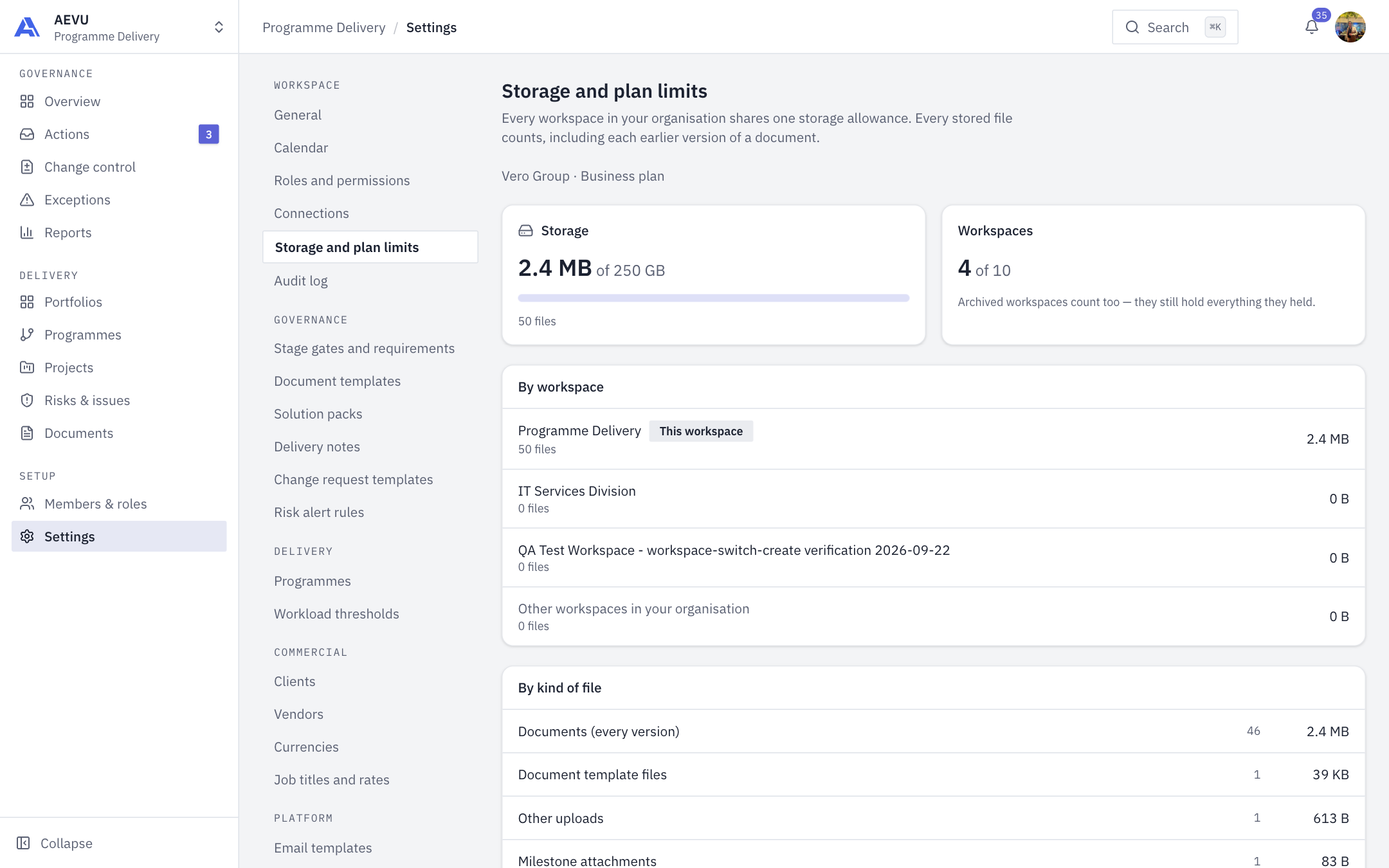
This page shows how much storage your organisation uses and how many workspaces your plan includes. It is read-only.
Who can open it: settings.manage (Owner and Admin by default).
What you see
- Storage: used space, your quota if the plan sets one, a progress bar and the file count.
- Workspaces: the count against your plan's limit. Archived workspaces count too.
- By workspace: space used by each workspace. The current one is badged This workspace.
- By kind of file: space by category.
What counts
Every workspace in the organisation shares one storage allowance. Every stored file counts, including each earlier version of a document, template starting files and attachments. Logos and avatars do not count.
Warnings
The bar turns amber at 80 percent. When storage is full, uploads are blocked in every workspace until files are deleted or the plan is upgraded. When the workspace limit is reached you must upgrade to add another.
TIP
Plan limits are set by your plan. Review or change it in Billing.