

Appearance
Delivery notes
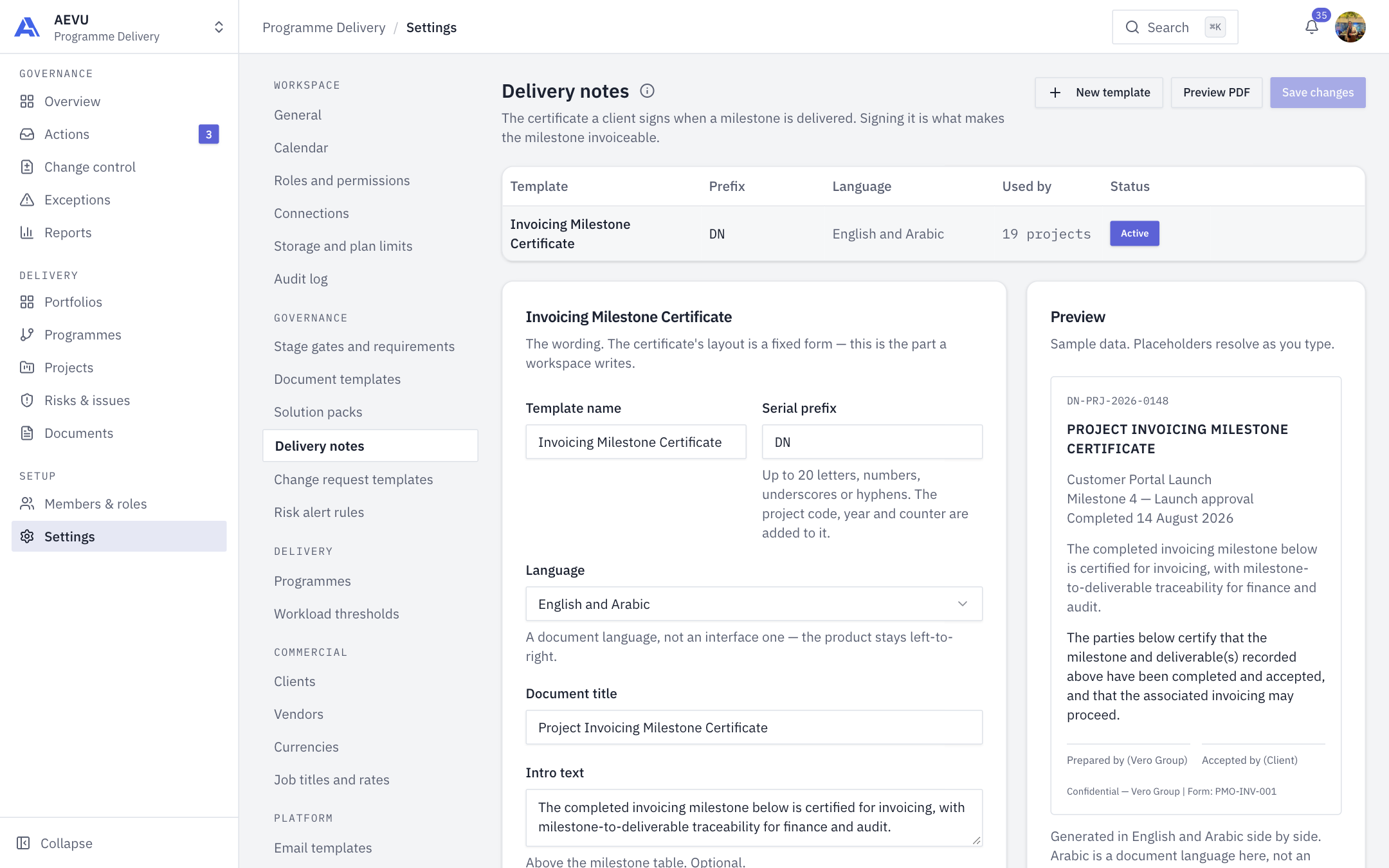
A delivery note is the certificate a client signs when a milestone is delivered. Signing it is what makes the milestone invoiceable. This page controls its wording and layout.
Who can open it: template.view. Who can edit: template.manage (Owner, Admin and PMO by default).
How templates are used
One template, the Active one, generates for the whole workspace. Inactive templates are kept so previously signed wording stays readable. A completed billing milestone produces its certificate and files it with the project's documents, ready to sign. The Used by column counts projects using each template.
Edit or create a template
- Open Settings → Governance → Delivery notes.
- Select a template row to edit it, or New template.
- Change the fields in the editor. The Preview updates as you type with sample data.
- Select Save changes. Use Preview PDF to render the real PDF first.
| Field | Rules |
|---|---|
| Template name | Required, up to 200 characters |
| Serial prefix | Up to 20 characters: letters, digits, underscores, hyphens. The project code, year and counter are added |
| Language | English, Arabic, or English and Arabic (bilingual) |
| Document title | Required, up to 300 characters |
| Intro text | Optional, up to 2000 characters, above the milestone table |
| Certification text | Up to 2000 characters |
| Left / Right signature label | Up to 200 characters each |
| Footer | Optional, up to 500 characters |
Placeholders
Insert tokens with . Selecting a chip under Available placeholders appends it to the certification text.
projectName, milestoneTitle, completedDate, clientName, serialNumber, pmName, contractDate. Also available: projectCode, contractNo, companyName.
WARNING
An unknown or malformed placeholder would print exactly as typed. Save and Preview PDF are blocked until it is fixed.
Generate automatically
When on, completing a billing milestone drafts the certificate, numbers it and puts it in front of the project manager to sign. It is never sent to a client without a person signing first. A milestone with no customer payment produces nothing.
Activate or remove
On an inactive template, Activate makes it the one the workspace generates from now on. Remove deletes an inactive template.