

Appearance
Solution packs
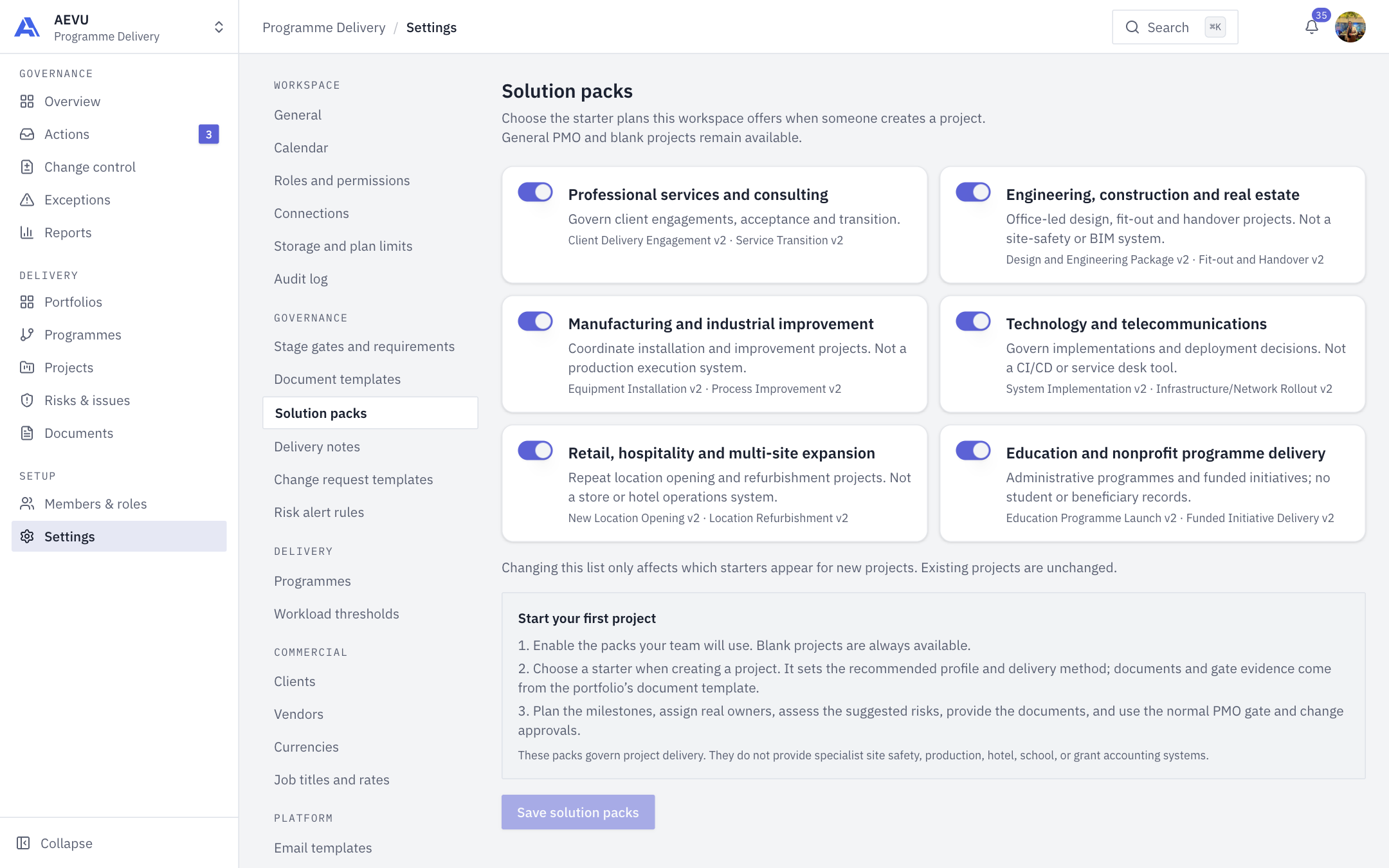
Solution packs control which starter plans the project creation dialog offers in this workspace. A starter sets a recommended delivery profile and method for a new project.
Who can open and change it: workspace.manage (Owner and Admin by default).
The six packs
| Pack | Scope |
|---|---|
| Professional services and consulting | Client engagements, acceptance and transition |
| Engineering, construction and real estate | Office-led design, fit-out and handover. Not a site-safety or BIM system |
| Manufacturing and industrial improvement | Installation and improvement projects. Not a production execution system |
| Technology and telecommunications | Implementations and deployment decisions. Not a CI/CD or service desk tool |
| Retail, hospitality and multi-site expansion | Location opening and refurbishment. Not a store or hotel operations system |
| Education and nonprofit programme delivery | Administrative programmes and funded initiatives. No student or beneficiary records |
Each card lists its starters with their version.
Choose which packs to offer
- Open Settings → Governance → Solution packs.
- Switch each pack on or off.
- Select Save solution packs.
All packs are available until an administrator narrows the list. General PMO and blank projects are always available.
What a starter does
A starter sets the recommended delivery profile (client engagement, internal initiative or funded initiative) and method, and previews suggested roles and risk prompts for human review. It does not create milestones, assign people or insert risks. Documents and gate evidence come from the portfolio's document template.
INFO
Turning a pack off only affects which starters appear for new projects. Existing projects keep their provenance and are unchanged.