

Appearance
Job titles & rates
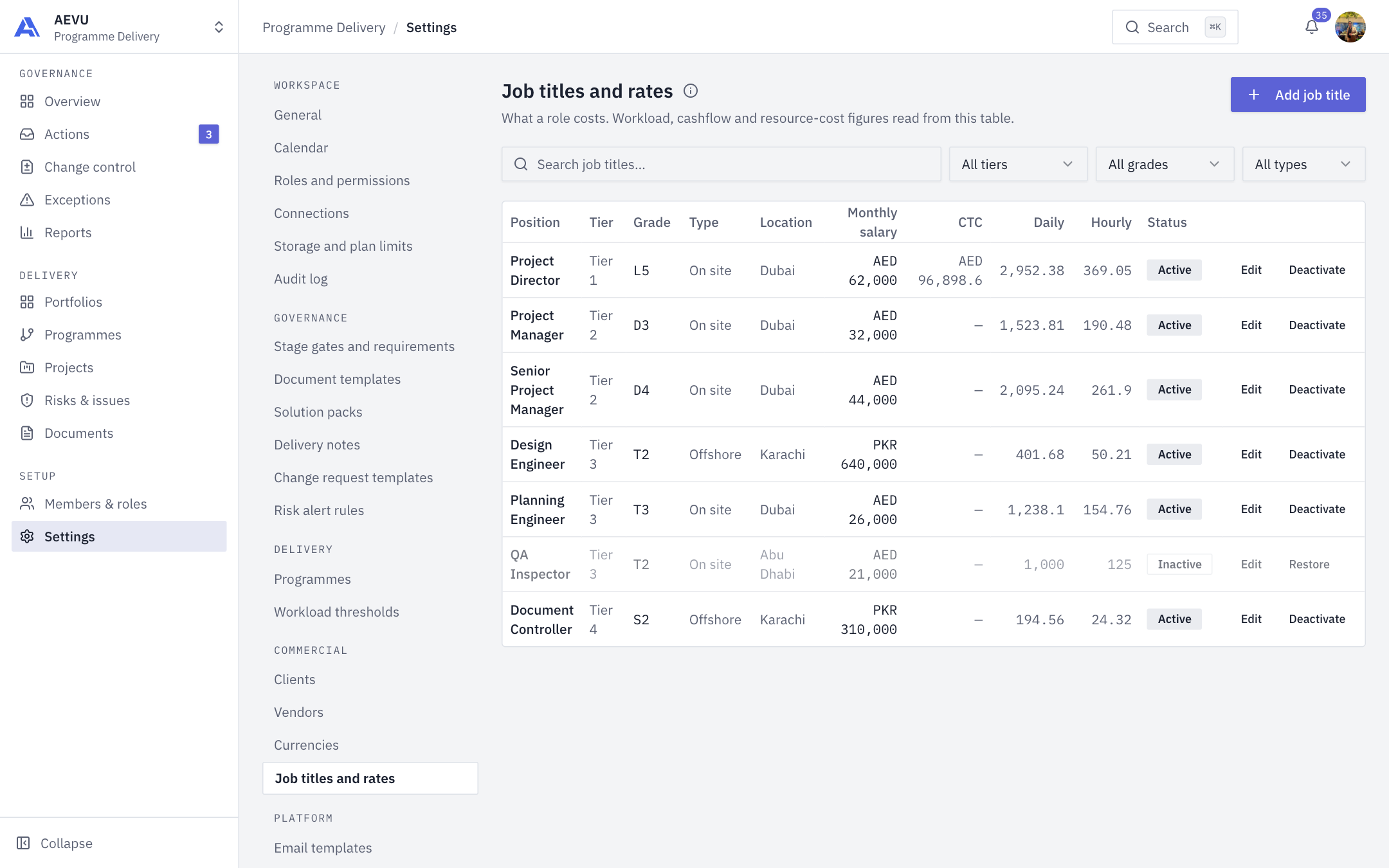
Job titles and rates record what each role costs. Workload, cashflow and resource-cost figures read from this table.
Who can open and edit it: reference.manage (Owner and Admin by default). Assigning a title to a person is a separate permission.
Rates belong to the workspace, not the person. The same person can hold different titles and costs in different workspaces. New workspaces start with five grades and seven job titles with editable rates.
Add a job title
- Open Settings → Commercial → Job titles and rates and select Add job title.
- Complete the dialog and save.
| Field | Notes |
|---|---|
| Position | Required, up to 200 characters |
| Tier | Tier 1 to Tier 5 (a higher tier already on a row is kept) |
| Type | On site or Offshore |
| Grade | Pick one, or add a new grade inline (save the new name) |
| Location | Optional, up to 100 characters |
| Monthly salary | Amount plus currency |
| CTC | Amount plus currency |
| Daily rate | Optional. Blank derives from salary |
| Hourly rate | Optional. Blank derives from the daily rate |
Every amount allows at most two decimals.
Derived rates
A rate you type is used exactly as typed. A blank daily or hourly rate is worked out from monthly salary (21 working days, 8 hours a day), converted into the reporting currency through the rate on Currencies. Derived figures show muted. Nothing derived is stored, so columns can't drift from the salary. A salary in a currency with no rate shows "no rate".
The table
Columns: Position, Tier, Grade, Type, Location, Monthly salary, CTC, Daily, Hourly, Status. Search and filter by tier, grade (or No grade) and type.
Deactivate
Deactivate (with confirmation) takes a title out of use. It is not deleted, so historical costs stay resolvable. Restore reverses it.
WARNING
A concurrent edit of the same title is refused as stale. Reload and retry.