

Appearance
Email (SMTP) delivery
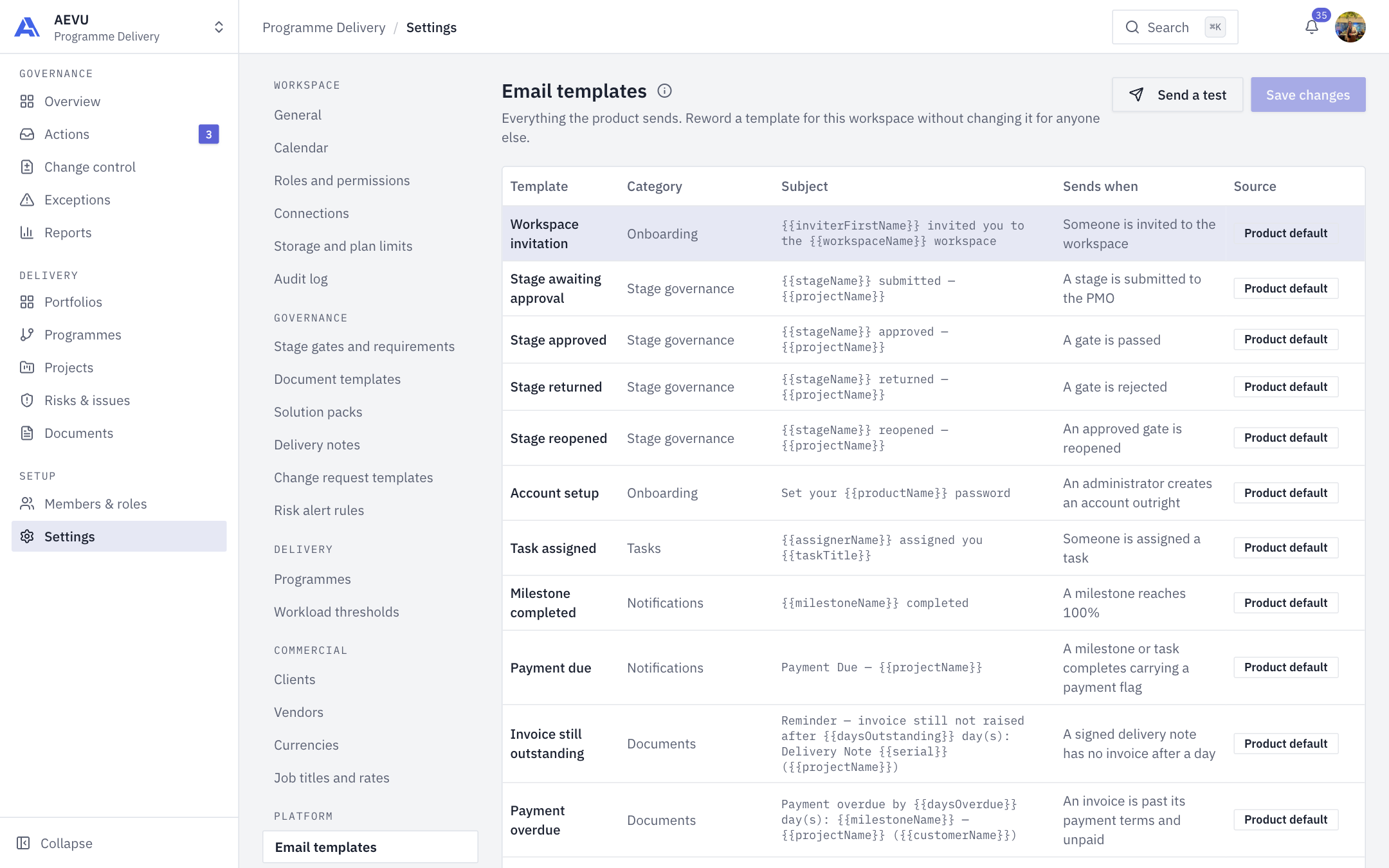
AEVU sends invitations, password recovery messages, billing receipts and similar notices. Email goes through one platform sender.
Platform operator only
This is configured by the AEVU platform operator on the server, not by organisation or workspace admins. Admins can edit the wording of messages in Settings → Email templates (Email templates).
Settings the server needs
Set outside any committed file, as environment variables (double underscores) or user secrets:
| Key | Meaning |
|---|---|
Smtp:Host / PMO__Smtp__Host | Mail server host name |
Smtp:Port | Port (587 by default) |
Smtp:User | The mailbox sign-in name |
Smtp:Password | Its password |
Smtp:From | The public sender address, for example hello@aevupm.com |
Smtp:FromName | Display name (default AEVU) |
Email counts as configured only when Host, User, From and Password are all set.
Using Microsoft 365 as the sender
- Use the mailbox's real sign-in name (for example
name@tenant.onmicrosoft.com) asUser. An alias is rejected with error 5.7.3. Put the public address inFrom. - In the Exchange admin center → Settings → Mail flow, make sure Turn off SMTP AUTH protocol for your organization is unticked.
- In the Microsoft 365 admin center → Users → the mailbox → Mail → Manage email apps, turn on Authenticated SMTP.
- Wait: changes can take 30 minutes or more. Security defaults or MFA enforcement on the mailbox can still block basic sign-in.
Basic-auth SMTP is being phased out by Microsoft
If Microsoft withdraws it for your tenant, a different route (sending through Microsoft Graph) will be needed.
Development
In development all mail is caught by a local mail catcher (Mailpit) instead of being sent; that is switched off in deployed environments.
Checking it works
Send a test invitation or password-recovery email to a mailbox you control. A real in-app send through Microsoft 365 has not yet been verified end to end; a direct SMTP send has.
Problems
| Symptom | Likely cause |
|---|---|
| Nothing arrives | Email not fully configured, or the catcher is still on |
| 5.7.3 rejected | User is an alias; use the sign-in name |
| Authentication fails | SMTP AUTH or Authenticated SMTP not enabled, or still propagating |
| Spam folder | Set up SPF/DKIM for the From domain with your mail provider |