

Appearance
Your profile
Everyone, whatever their role, can update their own details, picture and password.
Open it
Click your avatar at the top right and choose Profile and password.
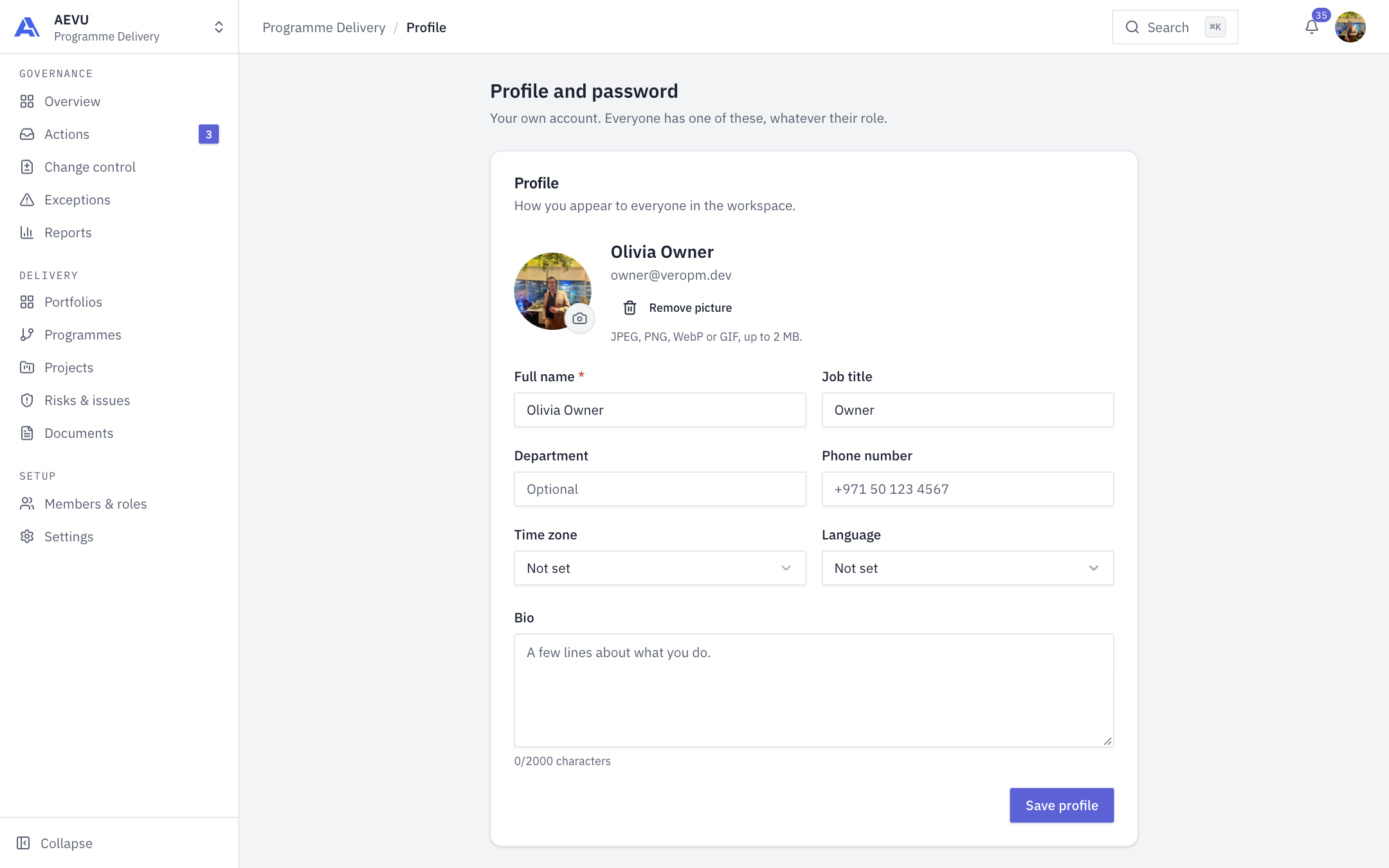
Update your details
- Optionally change your picture (JPEG, PNG, WebP or GIF, up to 2 MB) or click Remove picture.
- Edit Full name (required), Job title, Department, Phone number, Time zone, Language and Bio (up to 2,000 characters).
- Click Save profile. You will see "Profile updated".
These details show to everyone in the workspace.
INFO
An administrator who sets your job title from the member list can overwrite a title you set yourself. The title is also used to calculate labour cost.
Change your password
- In the Password section enter your Current password, a New password and Confirm new password.
- Click Change password.
New passwords must be at least 12 characters. Changing your password signs out every other session. Five wrong current-password attempts lock the account for 15 minutes, the same as at sign-in. See Sign in.
Linked accounts
The profile page also lets you link a Microsoft or Google account for sign-in, where your organisation has enabled them. See Microsoft Entra ID and Google.