

Appearance
Connection jobs and troubleshooting
Work that talks to another system runs as a durable job: it survives a restart and is retried when the failure looks temporary. Jobs appear under Recent activity on Settings → Connections.
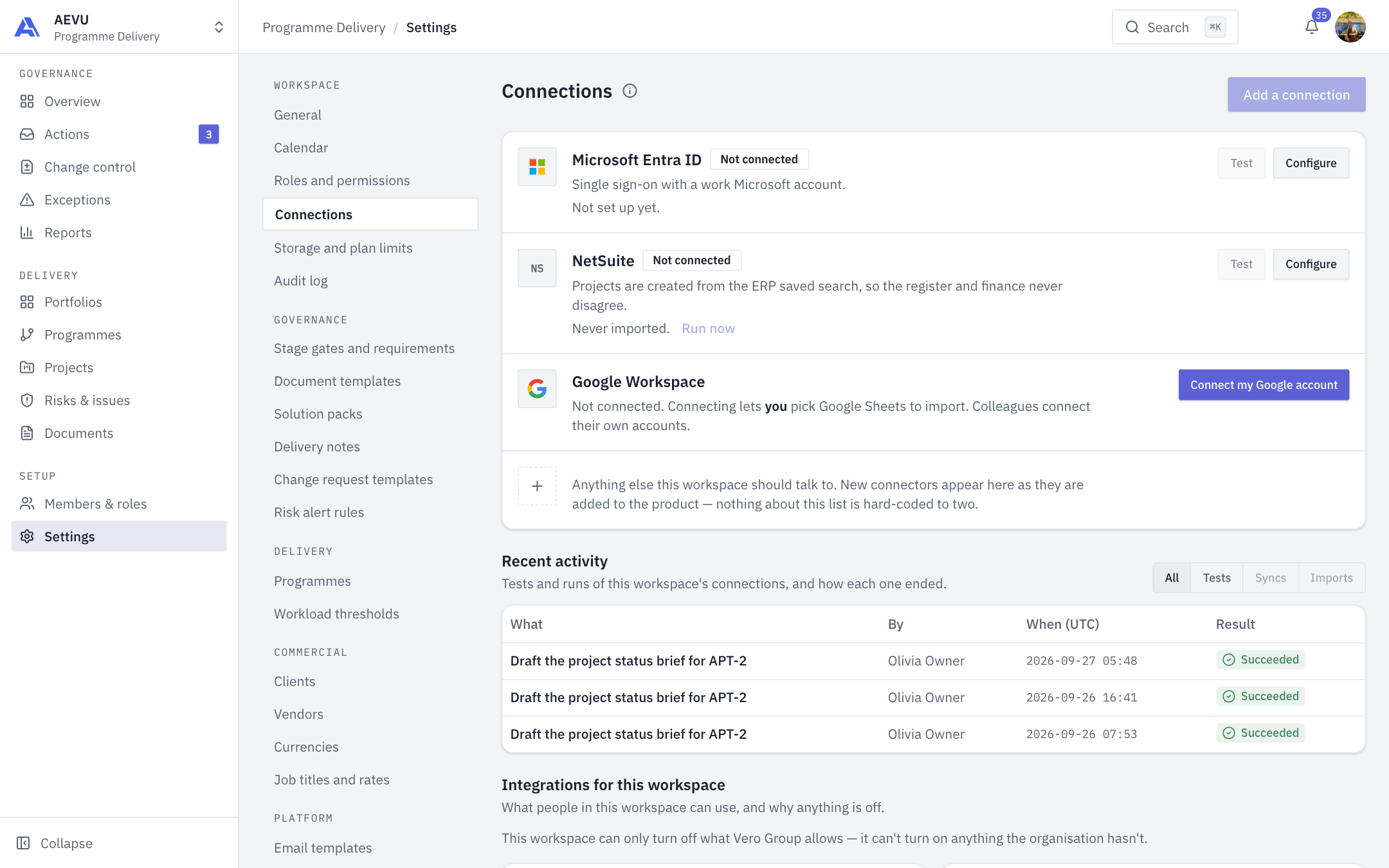
Recent activity
- Lists tests, imports and exports for the workspace, newest first, with who ran them, when (UTC) and the result.
- Filter tabs: All, Tests, Syncs, Imports.
- Open a job to see its attempts, result and error with a reference number to give support. Use Cancel when it is still queued or running.
- People with integration view rights see the workspace's jobs; everyone else sees only their own.
States: Queued, Running, Succeeded, Partially succeeded (imports), Failed, Cancelled.
The Test button
Test on a row (or Test connection inside its form) queues a real round trip to the provider and shows the result in the form. It survives a page reload. Testing needs saved credentials. A failed test does not block saving.
Job error codes
| Code | Meaning | Fix |
|---|---|---|
connection.testFailed | The provider refused the credentials | Read the message; correct the field it names |
credentials.changed | Credentials changed after the test was queued | Run the test again |
access.revoked | The person lost access or the manage permission | Ask an admin |
capability.blocked | Organisation or workspace turned the connection off | Organization → Integrations |
credentials.unreadable | The server cannot decrypt the stored secret | Re-enter the credentials |
provider.unavailable | The provider did not answer. Retried automatically with growing delays | Wait, then re-test |
job.stopped | Cancelled before it finished | Run again |
attempts.exhausted | Out of attempts (3) | Fix the cause, run again |
job.error | Unexpected error | Give support the reference number |
Codes you may see elsewhere
| Code | Page |
|---|---|
integration.connectRequired, integration.reconnectRequired, integration.scopeMissing, integration.notConfigured, google.fileNotAccessible | |
notification.channelLimit, notification.testRequired, delivery.channelBroken | Notifications |
export.tooManyLive, export.tooManyRows | Exports |
plan.limitReached, plan.readOnly | Plans, trials & billing |
ai.budgetExhausted, ai.rateLimited, ai.accessNarrowed | AI budget |
"Switched off" or greyed out
A feature works only when platform, plan, organisation, workspace and your own permission all agree. The card names the layer that said no. See Overview.
A workspace that is archived or an organisation that is read-only
Archived workspaces refuse connection changes. A read-only organisation (unpaid or ended subscription) can read but not change; see Plans, trials & billing.
Still stuck
Note the job's reference number and the time (UTC), then contact your AEVU administrator. Never send secrets in a message.