

Appearance
Documents lookup
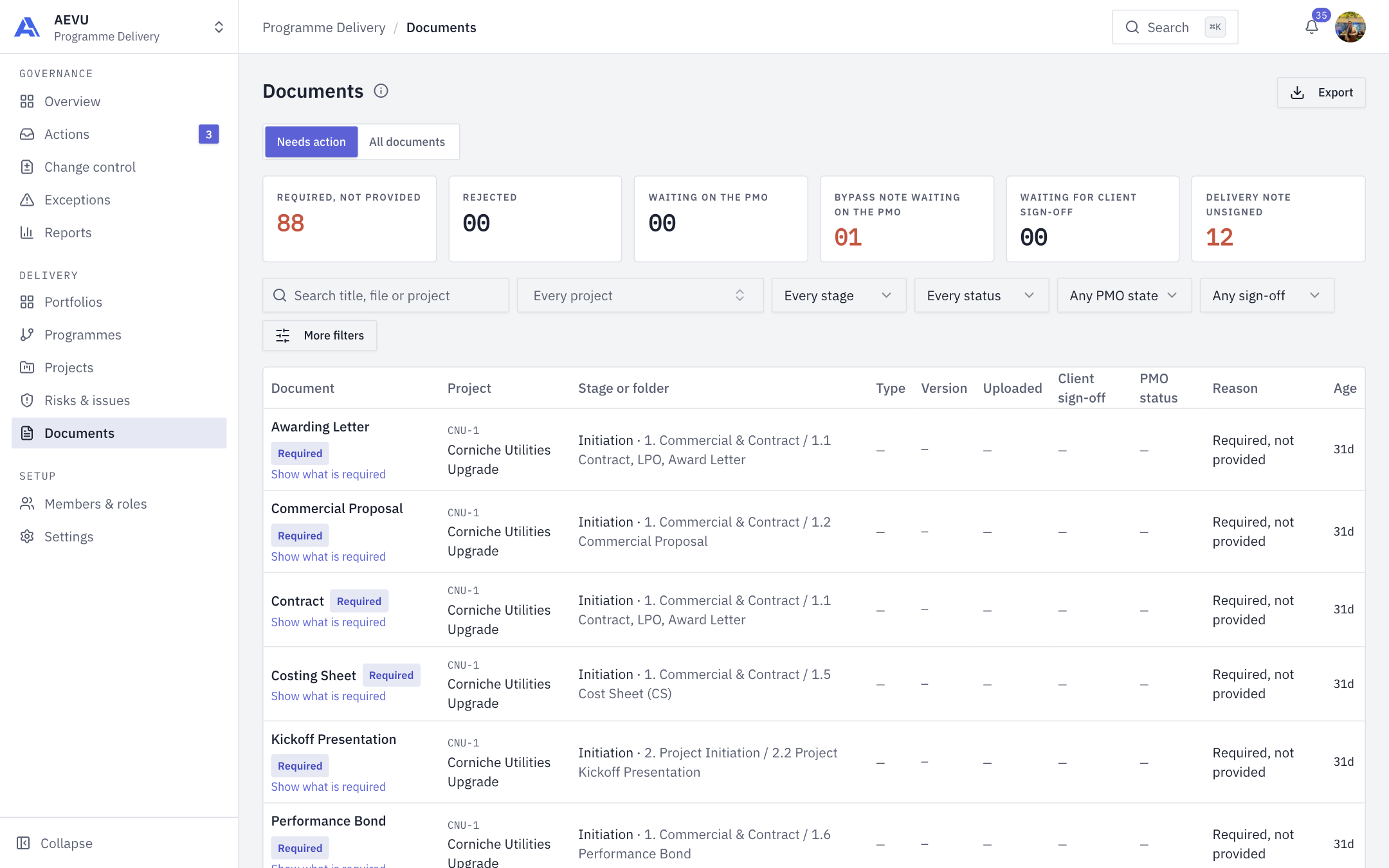
Documents lists every document across the projects you can see and opens on the ones waiting on somebody.
Who can use it
The Documents item needs document.view_all (by default Owner, Admin, PMO and Finance). Managers use each project's Documents tab instead. Export is on the same permission.
INFO
You cannot upload here. Uploading happens on the project's own Documents tab.
Two views
- Needs action (default): a required document for the current stage nobody has provided yet; a document the PMO returned; a document waiting on the PMO; a bypass note not yet sent to the PMO; a document waiting for client sign-off; a delivery note the client has not signed. A row leaves only when its condition changes.
- All documents.
Filters
Search by title, file or project. Filter by portfolio, programme, project, stage, folder, status, PMO state, client sign-off, file type, who uploaded it and the uploaded-from and to dates. Options include required-only or missing-only and delivery notes only. Show what is required reveals missing mandatory documents.
Summary tiles count each reason (Required, not provided, Rejected, Waiting on the PMO, Bypass note waiting on the PMO, Waiting for client sign-off, Delivery note unsigned); click one to filter. Less common filters sit under More filters. The table shows Document, Project, Stage or folder, Type, Version, Uploaded, Client sign-off, PMO status and, in Needs action, the Reason and Age.
Click Export to download the filtered list.