

Appearance
Programmes
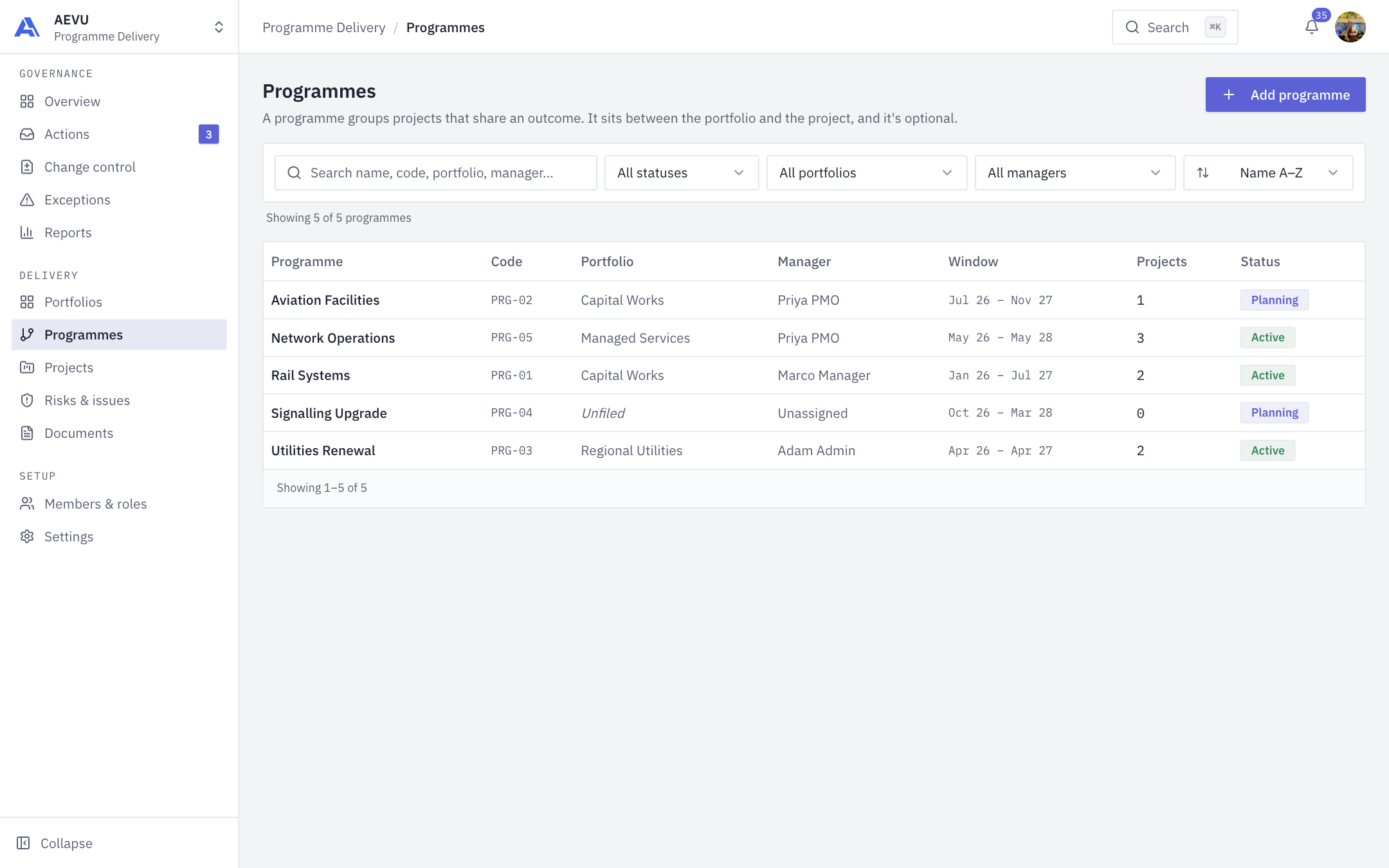
A programme groups projects that share an outcome. It sits between the portfolio and the project, and it is optional.
Who can use it
The Programmes item is shown to people with programme.view (by default Owner, Admin, PMO and Finance). Creating, editing and deleting needs programme.manage. Managers do not see programmes.
The register
The table lists Programme, Code, Portfolio, Manager, Window (start–end month), Projects and Status. Search by name, code, portfolio or manager. Filter by status (Planning, Active, Closing), portfolio (including Unfiled) and manager (including Unassigned). Use the sort menu for Name A–Z, Code, Most projects or Starting soonest. A footer shows "Showing X of Y", and ten rows appear per page. Each programme has a code like PRG-01 assigned automatically.
Create a programme
- Click Add programme. The New programme form opens.
- Enter the Name (up to 256 characters, unique in the workspace).
- Optionally file it under a Portfolio, choose a Programme manager, and set Start date, End date and Status. The end cannot be before the start.
- Click Create programme.
WARNING
Moving a programme to a different portfolio is refused while any of its projects sit in another portfolio. Move or unfile those projects first.
Inside a programme
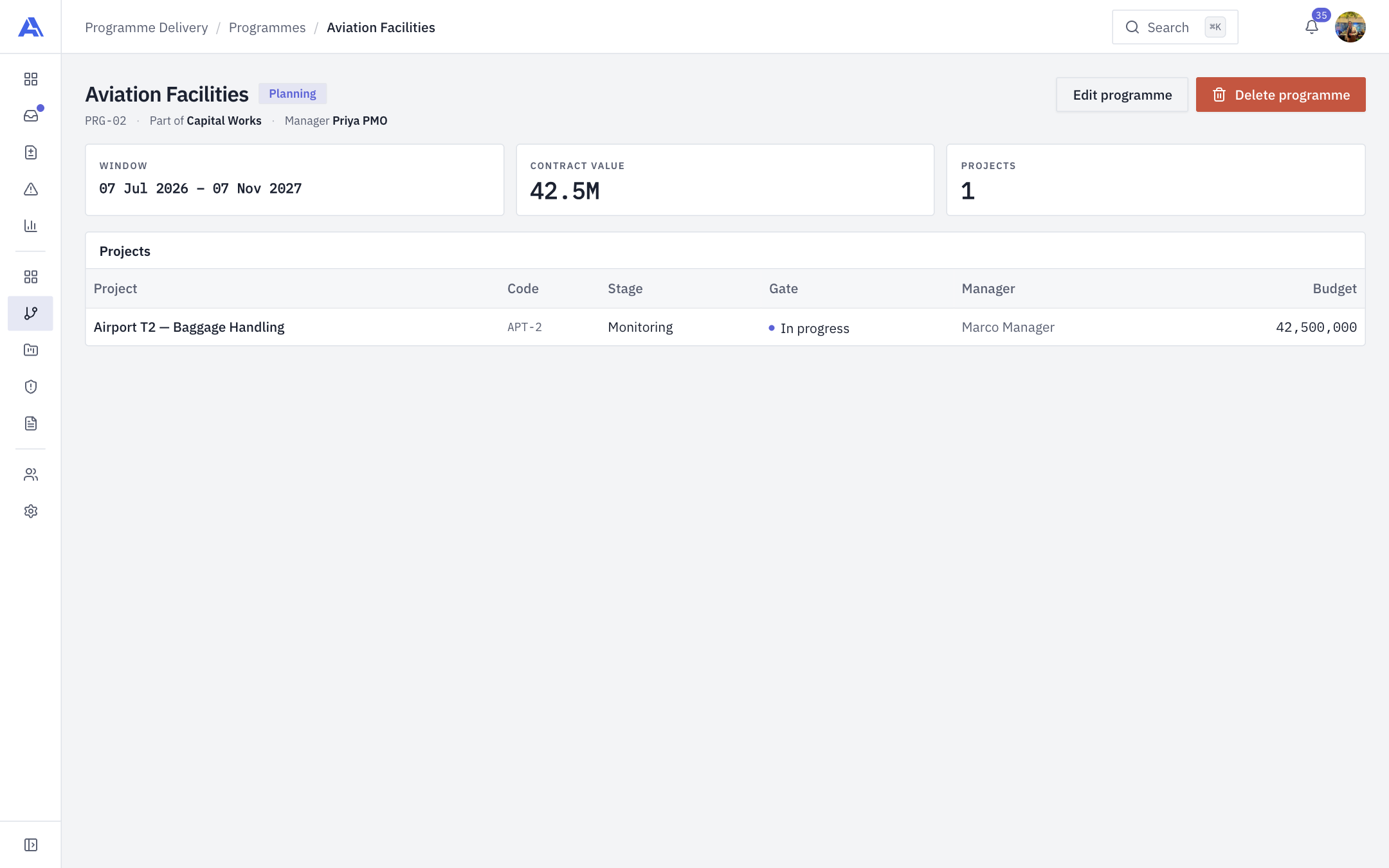
Open a row to see its status, code, portfolio and manager, three cards (Window, Contract value, Projects) and a Projects table with Project, Code, Stage, Gate, Manager and Budget. Edit programme changes the details.
Deleting
Delete programme removes the programme only. Its projects are kept and become unfiled from the programme, and AEVU tells you how many. If someone saved a change since you opened the screen, the delete is refused so nothing is lost.
To put a project in a programme, use the Programme field when creating a project.