

Appearance
Programmes
A programme groups projects that share an outcome. It sits between the portfolio and the project, and it is optional. Projects run without one.
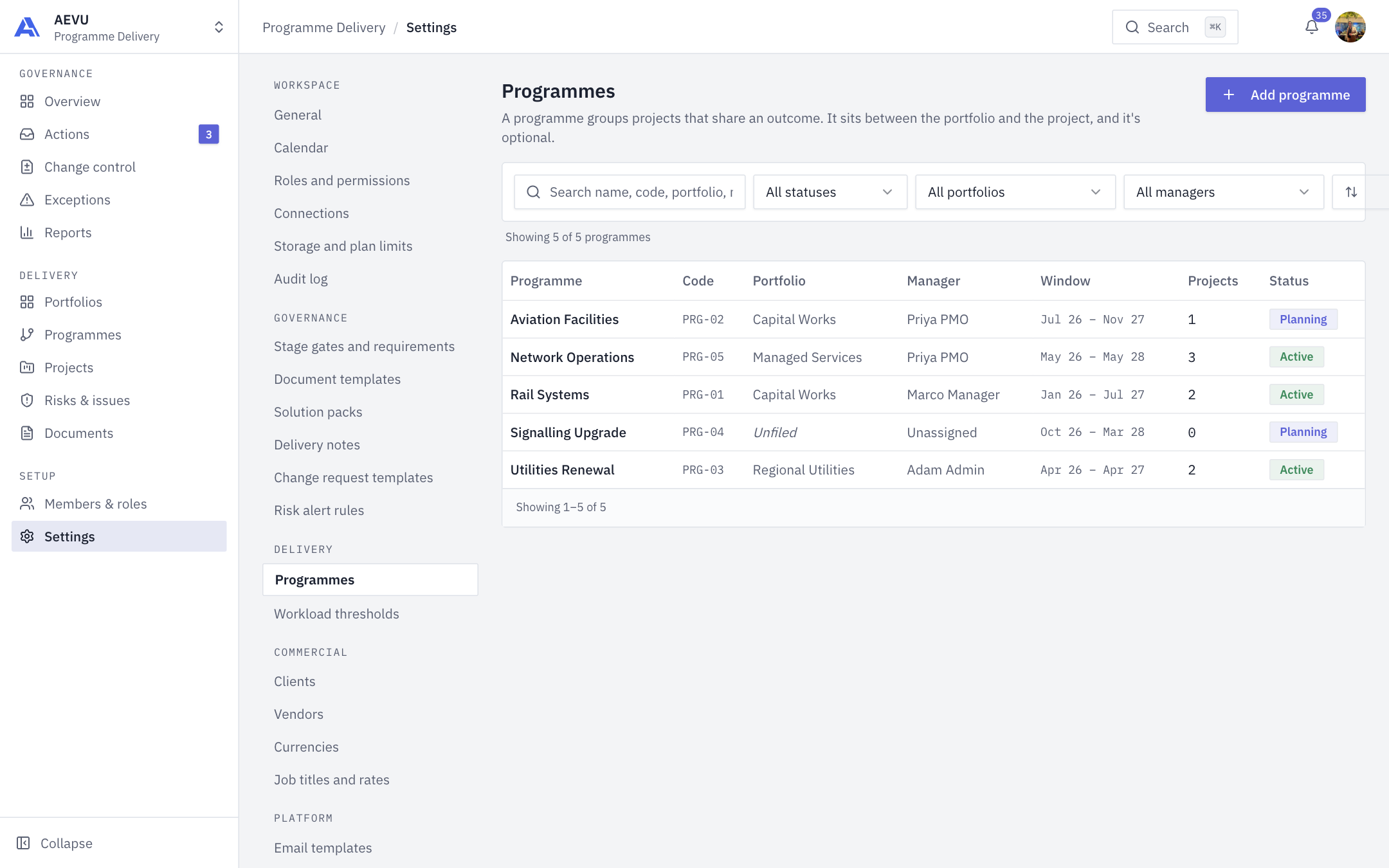
The same list appears under Delivery → Programmes and Settings → Delivery → Programmes.
Who can open it: programme.view (Owner, Admin, PMO and Finance by default). Who can create, edit and delete: programme.manage (Owner, Admin and PMO by default).
Browse
The table shows Programme, Code, Portfolio, Manager, Window, Projects and Status. Search by name, code, portfolio or manager. Filter by status (Planning, Active, Closing), portfolio (or Unfiled) and manager (or Unassigned). Sort by name, code, most projects or starting soonest. The table shows 10 per page.
Add a programme
- Select Add programme.
- Fill in the dialog and save.
| Field | Rules |
|---|---|
| Name | Required, up to 256 characters, no markup |
| Portfolio | Optional. Blank means Unfiled |
| Programme manager | Optional. Blank means Unassigned |
| Start date / End date | Optional. End can't be before start |
| Status | Planning, Active or Closing |
The code is assigned automatically as PRG-01, PRG-02 and so on. Codes are never reused, even after deletion.
Delete
Open a programme and choose Delete programme. The confirmation states how many projects will be unlinked. The projects and their portfolio assignment are kept. They just lose the programme. The deletion is audited.
TIP
Assign a project to a programme from the project form. Project count in the table updates automatically.