

Appearance
General & branding
General holds the workspace's identity (name, logo, short code), its regional settings, its email notification defaults, and the Archive control.
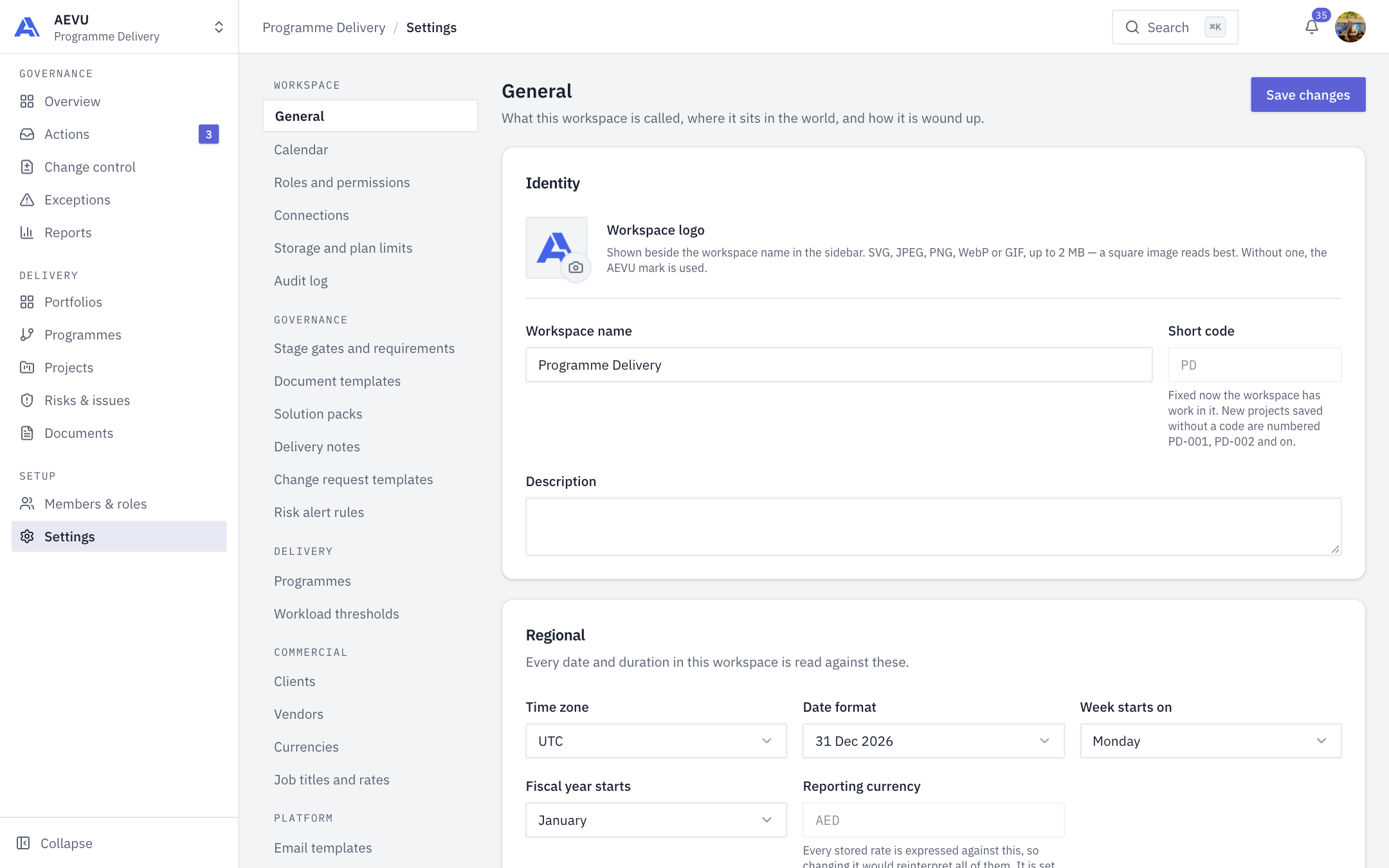
Who can open it: workspace.manage (Owner and Admin by default). Archiving is Owner only.
Change the identity
- Open Settings → Workspace → General.
- Under Identity, edit Workspace name, Short code and Description.
- Select Save changes (top right). One button saves the whole page.
| Field | Rules |
|---|---|
| Workspace name | Required, up to 256 characters, no markup or hidden characters |
| Short code | Up to 8 characters, letters and digits, stored upper-case. Locked once the workspace has a project, risk or issue |
| Description | Optional, up to 1000 characters |
The short code numbers new projects. A project saved without its own code becomes <CODE>-001, <CODE>-002 and so on. Without a short code the number is derived from the project name. Codes already issued are never rewritten.
Workspace logo
Select the logo tile to upload an image. SVG, JPEG, PNG, WebP or GIF, up to 2 MB. A square image reads best. The logo appears beside the workspace name in the sidebar. Without one, the AEVU mark is used. Remove it to go back to the default.
Regional
| Setting | What it does |
|---|---|
| Time zone | One of UTC, Asia/Dubai, Asia/Riyadh, Asia/Karachi, Europe/London, America/New_York |
| Date format | 31 Dec 2026, 31/12/2026, 12/31/2026 or 2026-12-31 |
| Week starts on | First day of the week in date pickers and calendars |
| Fiscal year starts | Month the fiscal year begins |
| Reporting currency | Read-only. Chosen at signup |
WARNING
The reporting currency can't be changed. Every stored rate is expressed against it, so changing it would reinterpret all of them.
Working days and holidays are not set here. Use Calendar.
Notification defaults
| Switch | Effect |
|---|---|
| Stage gate decisions | Emails approvers when a gate arrives, and the submitter when it is approved or returned |
| Weekly exception digest | A Monday email (08:00 Gulf time by default) to members who can approve stage gates, listing what needs them that week |
Task assignment and every other message are switched on or off one by one under Email templates.
Archive a workspace
Closing this workspace → Archive closes the workspace for everyone in it. Projects, registers, documents, reports and the audit log become unreachable. Nothing is deleted, and reopening restores everything exactly. An Owner reopens it from the archived-workspace screen, which is where you land after archiving. Permanent deletion is not available.
WARNING
Archiving takes effect immediately for every member. Use it to close a workspace, not to tidy up.