

Appearance
Notifications
AEVU tells you about approvals and decisions in the app bell, by email, and, if your admin sets it up, in Microsoft Teams or Google Chat.
The bell
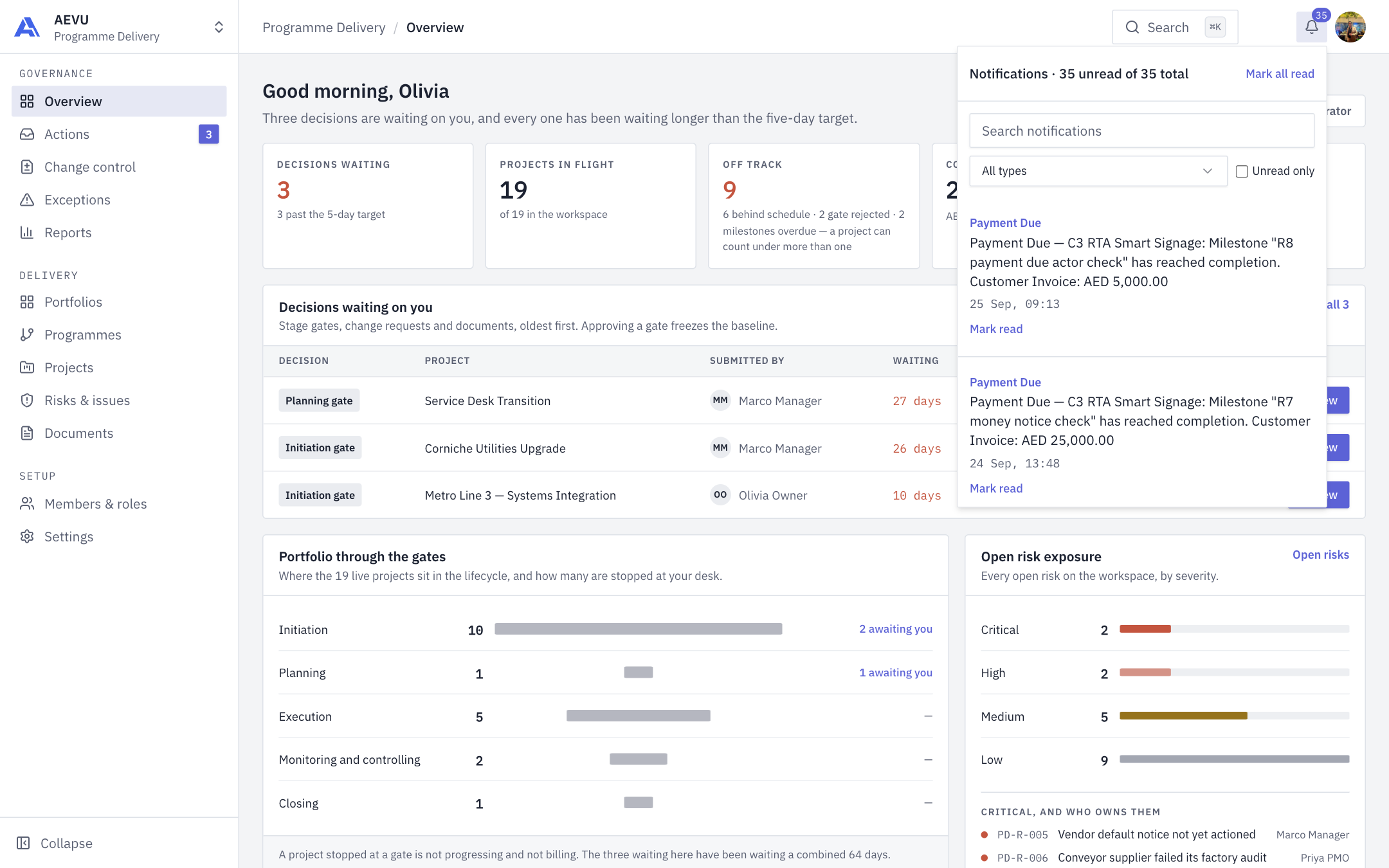
The bell in the top bar shows a count of unread notifications. It refreshes about every 30 seconds, even if the tab is in the background.
Click it to open the panel:
- Search notifications, a Notification type filter and an Unread only switch.
- Mark read on one item, or Mark all read.
- Clicking a notification opens the stage review, document or project it is about.
- When everything is read you see "You're all caught up."
What you are told about
Stage submitted, Stage approved, Stage returned (with the reason), Document submitted, Document approved, Document returned, Approval revoked, Change requested, Change allowed and Change declined (the last three are about documents), plus Payment Due when a billing milestone completes, delivery notes generated, and task and milestone updates. The bell panel is headed "Notifications · N unread of M total" and filters by All types.
A new notification also refreshes the project screen you may have open, so a returned stage shows "Submit … stage" again without reloading.
Email
Gate events and the weekly exceptions digest are sent by email through your organisation's mail setup. Admins can customise wording in Email templates.
Teams and Google Chat
Admins with integration.manage can post alerts to a Teams or Google Chat channel from Settings. Four events can be chosen:
- Stage gate waiting for approval
- Critical risk alert
- Change request waiting for approval
- Import finished
Messages are deliberately minimal: the event name, the workspace name and a secure link. They contain no project names or amounts. A rule can only be switched on after a test message has been delivered to the channel. See Notification channels.