

Appearance
Create your account
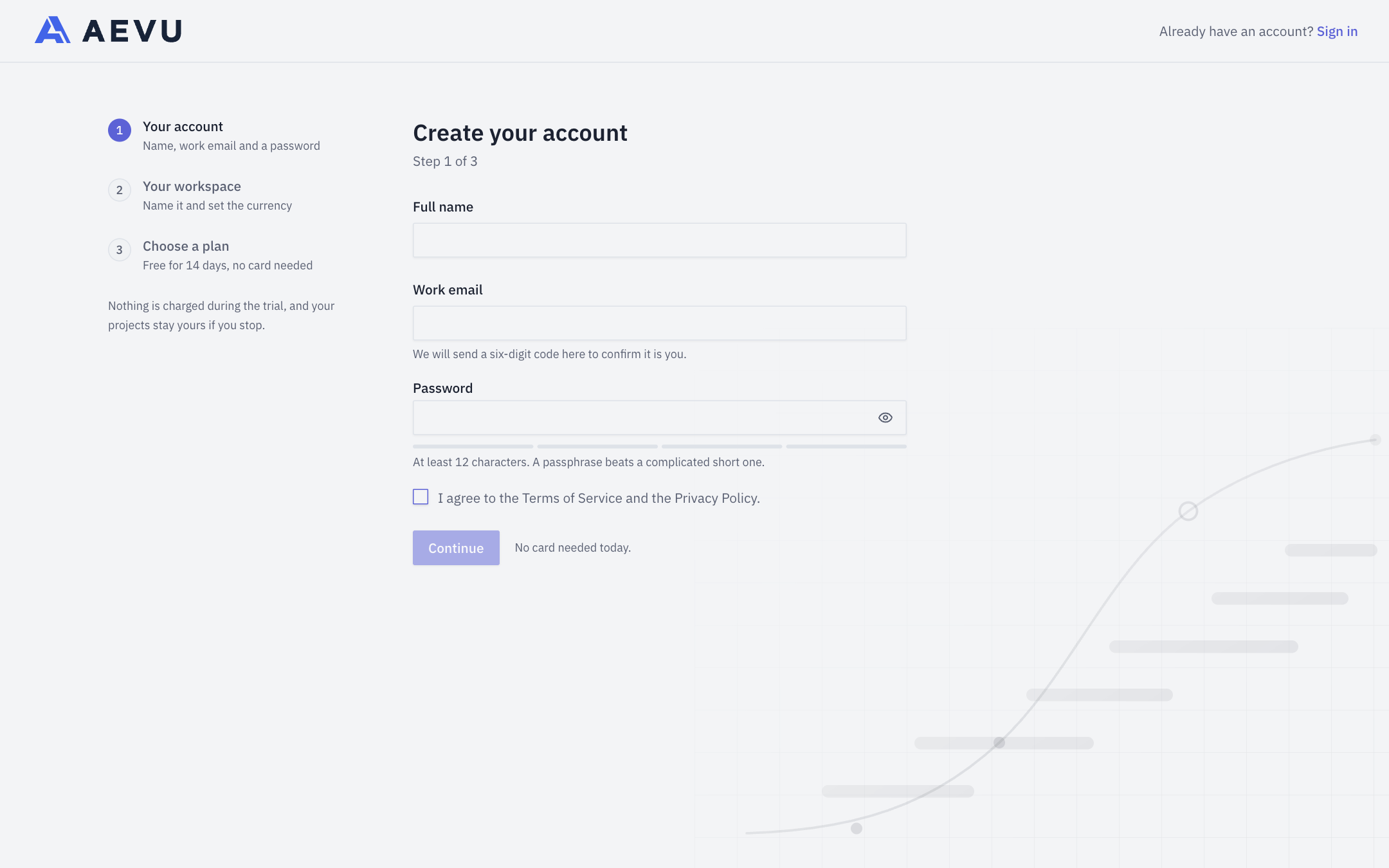
Sign up for a 14-day free trial: confirm your email, set up your organisation and first workspace, and choose a plan. No card is needed.
Before you start
You need a work email you can receive mail on, and you should know your organisation's name and the reporting currency its figures are reported in.
INFO
If a colleague has already invited you, use the link in your invitation email instead. You do not need to sign up from scratch.
Steps
- Open the sign-in page and click Start a free trial.
- Your account — enter your Full name, Work email and a Password. Passwords must be at least 12 characters. Accept the terms and click Continue.
- Confirm your email — AEVU sends a six-digit code to your address. Type it in and confirm. If it does not arrive, click Resend code (available after a 60-second wait).
- Set up your organisation:
- Organisation name.
- Primary industry — describes your organisation; it does not grant access or limit what your workspaces can use.
- Additional industries (optional, up to ten).
- Workspace name and Reporting currency — both can be renamed later (the currency list is searchable).
- Invite your PMO (optional) — add email addresses and a role for each; you can also do this later from Members.
- Choose a plan — pricing is per organisation, not per seat: one person holds one seat across every workspace. Nothing is charged during the trial.
You are signed in and land on the Overview. You become the Owner of the new workspace.
What a new company starts with
Your first workspace comes pre-configured so you can start straight away. Everything below belongs to the workspace and is editable in Settings:
- the standard roles and permission matrix;
- stage gates with their requirements, and stage time limits (SLAs);
- document templates (folder structures and expected documents) — no actual documents are created;
- a default delivery note and five change-request templates;
- reference data such as document types, grades and job titles;
- currencies: your reporting currency plus USD, EUR, GBP, AED and SAR. A rate marked Rate needed means no exchange-rate quote was available yet.
Registration does not create clients, vendors, portfolios, programmes or projects — you add those yourself.
TIP
Your browser's time zone is used for the new workspace; if it cannot be read, UTC is used.
After sign-up
Follow Your first project in 15 minutes.