

Appearance
Clients & vendors
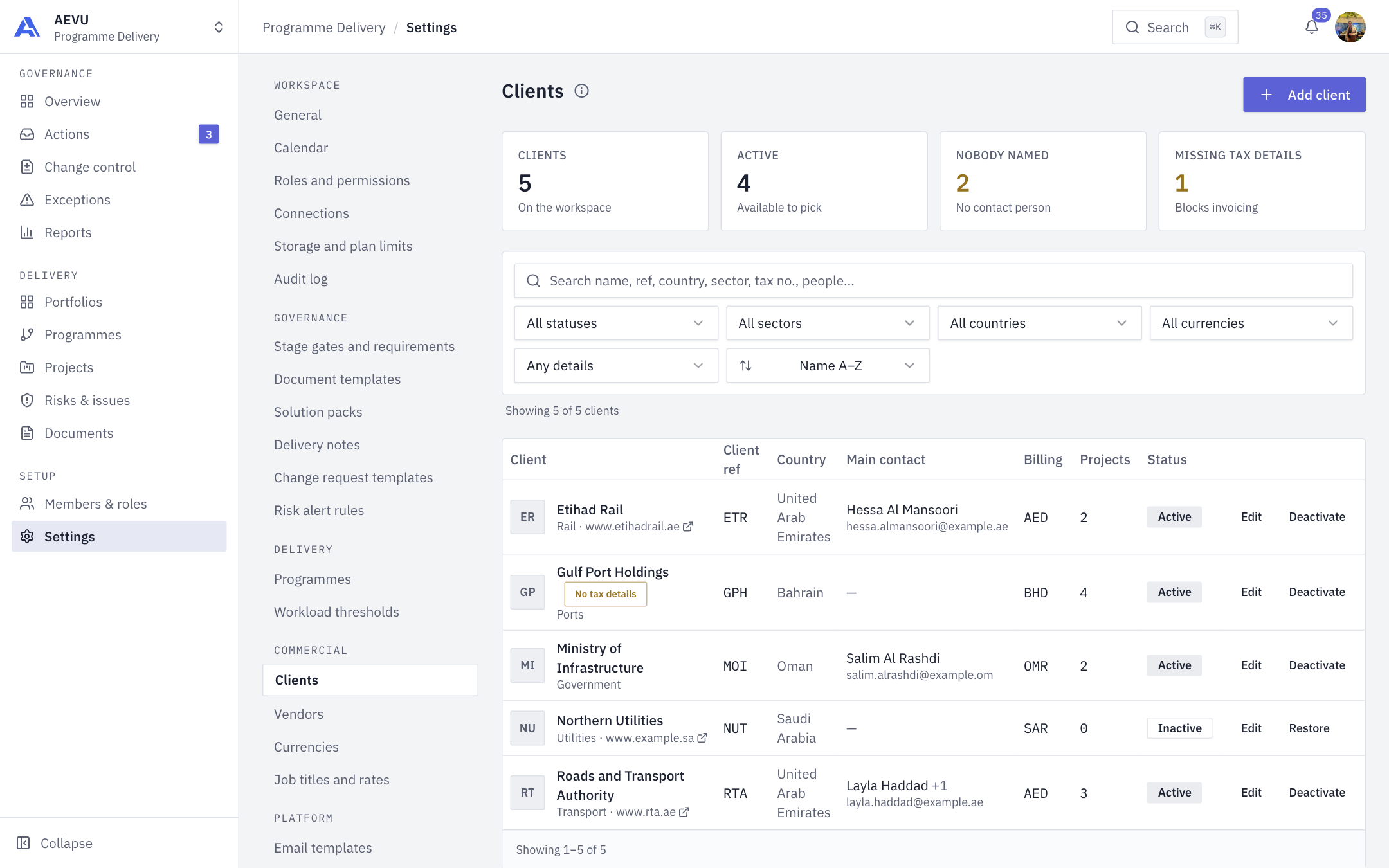
Clients are who the work is for. Vendors are who work is bought from. Both are workspace lists that feed project forms, delivery notes, invoices, payments and commercial reports.
Who can open and edit them: reference.manage (Owner and Admin by default). All members can pick clients and vendors in forms.
Registration creates no clients or vendors. Add a client before creating your first project.
Add a client
- Open Settings → Commercial → Clients and select Add client. It needs at least one active currency.
- Complete the dialog and save.
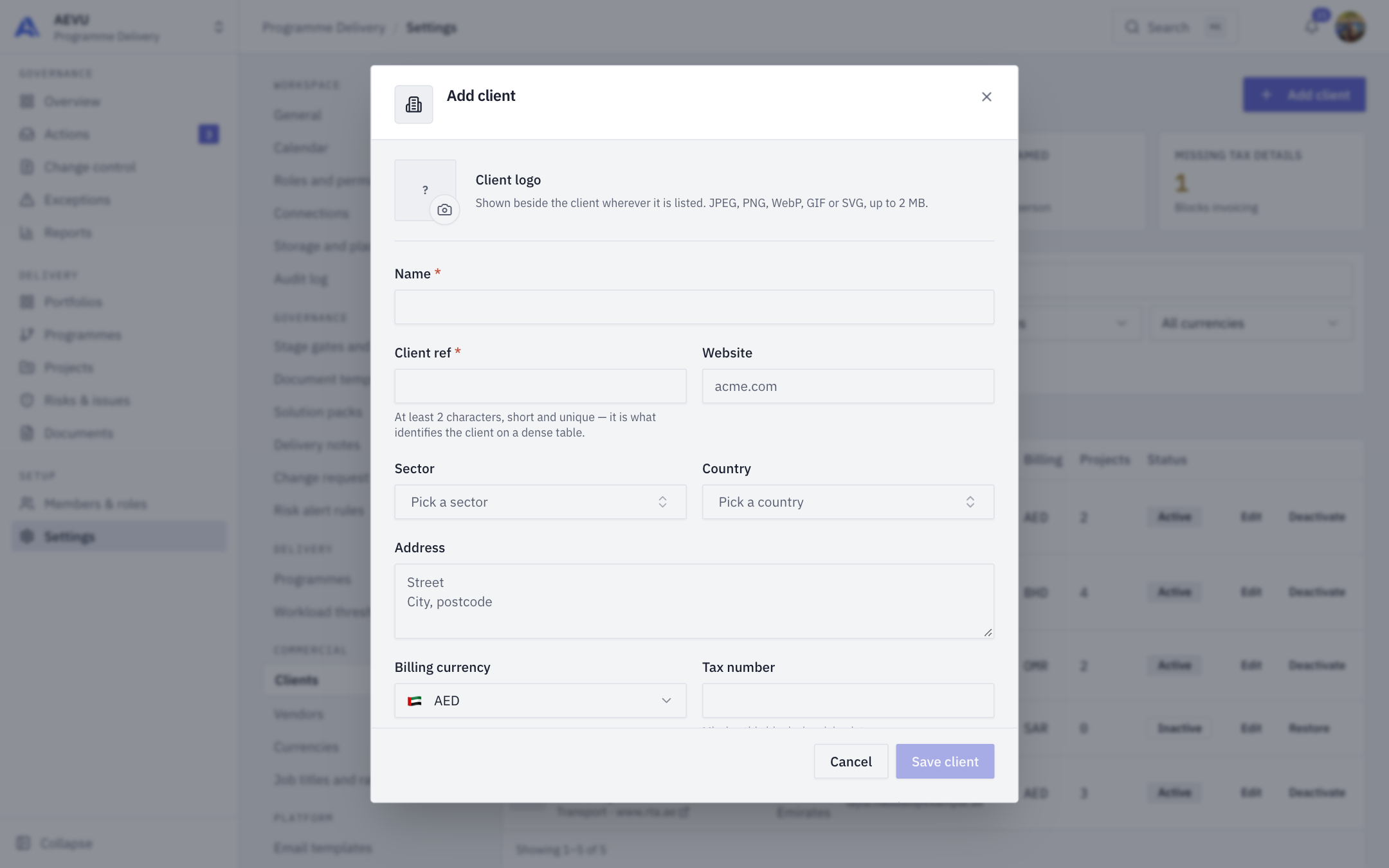
| Field | Rules |
|---|---|
| Name | Required, up to 256 characters. Names may repeat |
| Client ref | Required, 2 to 16 characters from letters, digits and - _ . /. Stored upper-case. Unique in the workspace |
| Website | Up to 256 characters. http(s) only. A bare host gets https:// |
| Sector | Pick from a fixed, searchable list of sectors |
| Country | Pick from the list |
| Address | Up to 512 characters. No < or > |
| Billing currency | Active workspace currencies |
| Tax number | Up to 64 characters. Missing this blocks invoicing later |
| Logo | Optional image. SVG is stored as a sanitised rewrite |
| Contacts | Add contact. Name (256), Position (128), Email (256), Phone (50). Star one as primary |
Vendors
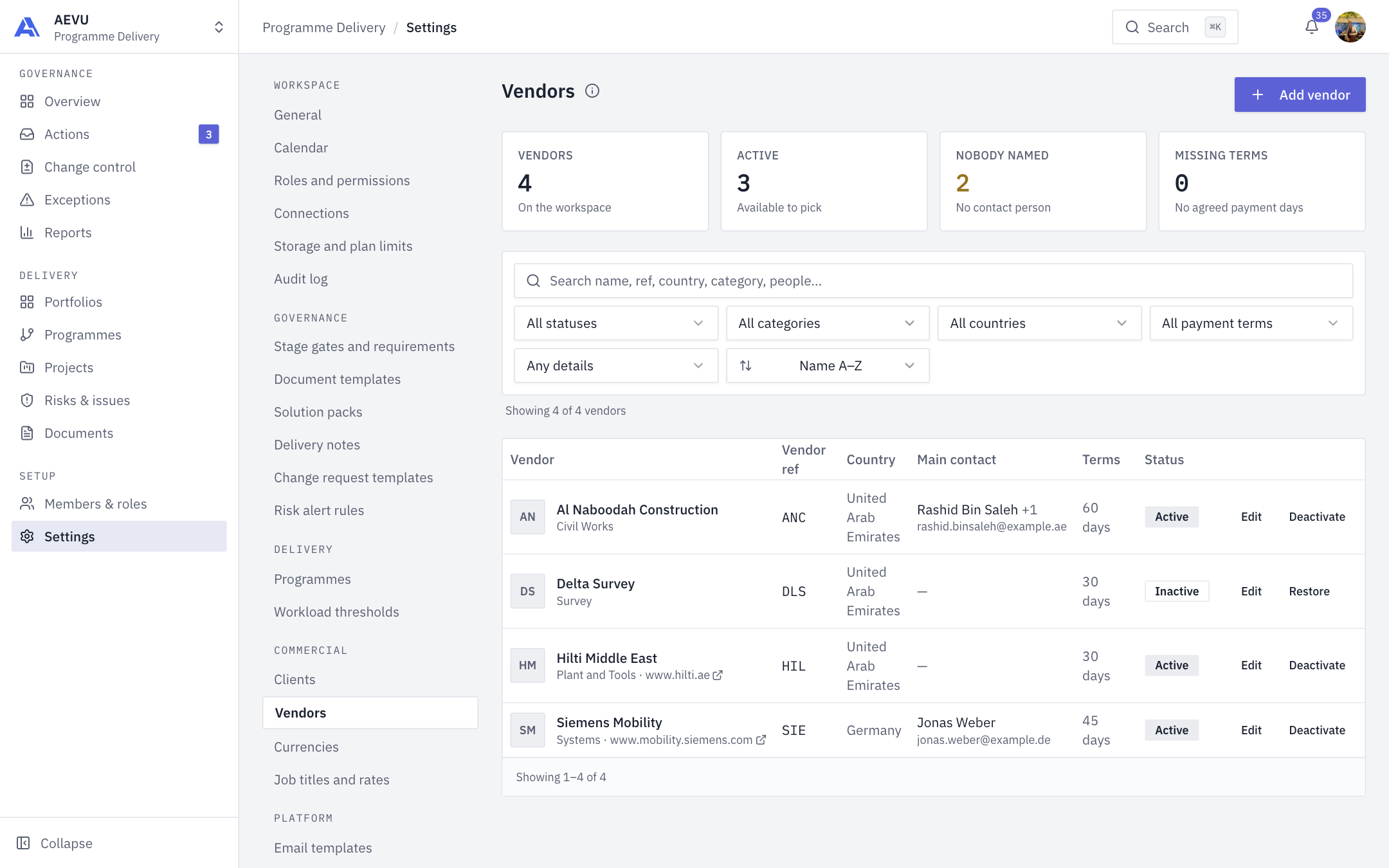
Add vendor uses the same pattern: Name, Vendor ref (same rules), Website, Country, Payment terms (days) (whole number 0 to 365), Address, Category (a fixed list) and contacts.
The lists
Summary tiles show Clients (or Vendors), Active, Nobody named (no contact person) and Missing tax details (clients) or Missing terms (vendors). Each row has Edit and Deactivate (or Restore). Search covers name, reference, country, sector or category, address, tax number and contacts. Filters include status, sector or category, country, billing currency (clients) or payment-terms band (vendors) and "missing details". Tables show 10 rows per page.
Deactivate, never delete
Deactivate removes the entry from new-project pickers. Historical projects, delivery notes and reports keep resolving it. Restore brings it back. The confirmation states how many projects keep the client.
WARNING
If two people edit one record at once, the second save is refused as stale. Reload and retry.
Edits are audited per changed field, without quoting addresses or contact details.