

Appearance
AI settings
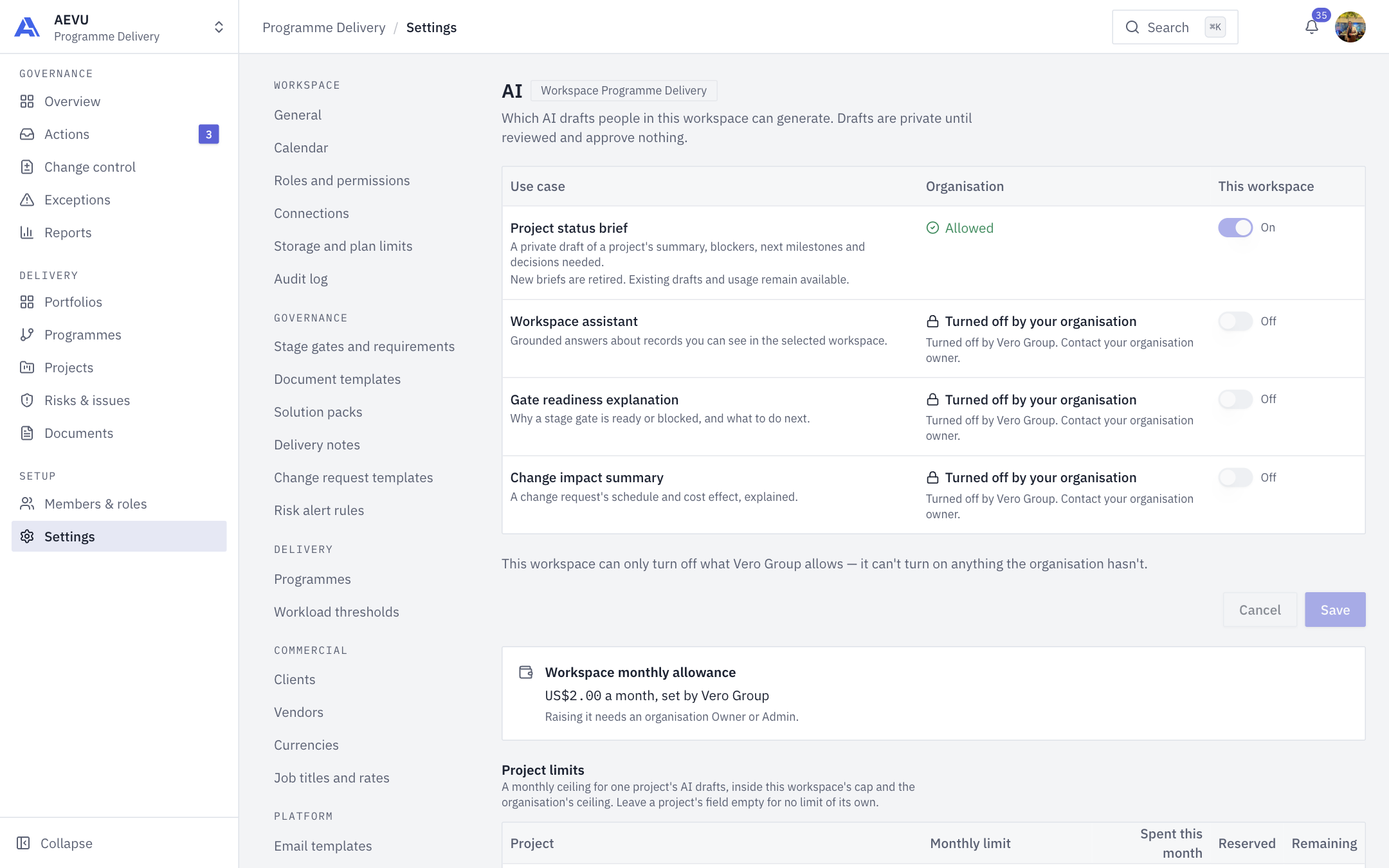
AI settings control which AI drafts people in this workspace can generate, set monthly limits per project, and show what AI drafts cost. Drafts are private until reviewed and approve nothing.
Who can open it: ai.manage or ai.usage.view (Owner and Admin by default; the default ai.use holders are Owner, PMO and Manager, not Admin). Who can change it: ai.manage. With only ai.usage.view the page is read-only. Using AI needs a separate permission, ai.use. See AI budget, credits & privacy.
Use-case switches
The table lists each use case with an Organisation column (what the organisation allows) and a This workspace switch. The use cases are Project status brief (retired for new runs; existing drafts and usage stay available), Workspace assistant (grounded answers, i.e. Ari), Gate readiness explanation and Change impact summary. An organisation that has turned one off shows "Turned off by your organisation" and a locked switch.
- Open Settings → Platform → AI.
- Switch use cases on or off for this workspace.
- Select Save (or Cancel to discard).
WARNING
A workspace can only turn off what the organisation allows. It can't turn on anything the organisation hasn't.
A use case runs only if the organisation, plan and workspace all allow it and the person holds ai.use.
Workspace monthly allowance
Set by the organisation, not here. If none is set, AI drafts can't run in this workspace. Raising it needs an organisation Owner or Admin.
Project limits
A monthly ceiling in USD for one project's AI drafts, inside the workspace cap and the organisation's ceiling. The table shows Monthly limit, Spent this month, Reserved and Remaining.
- Enter an amount from 0 to 100,000, to the cent. Leave blank for no limit of its own.
- A new limit applies at the next AI request.
- Save before moving to another page of projects.
Usage
With ai.usage.view you also see usage for the month, broken down by project, use case and person.
TIP
Credits, top-ups and organisation-level controls are covered in AI budget, credits & privacy.