

Appearance
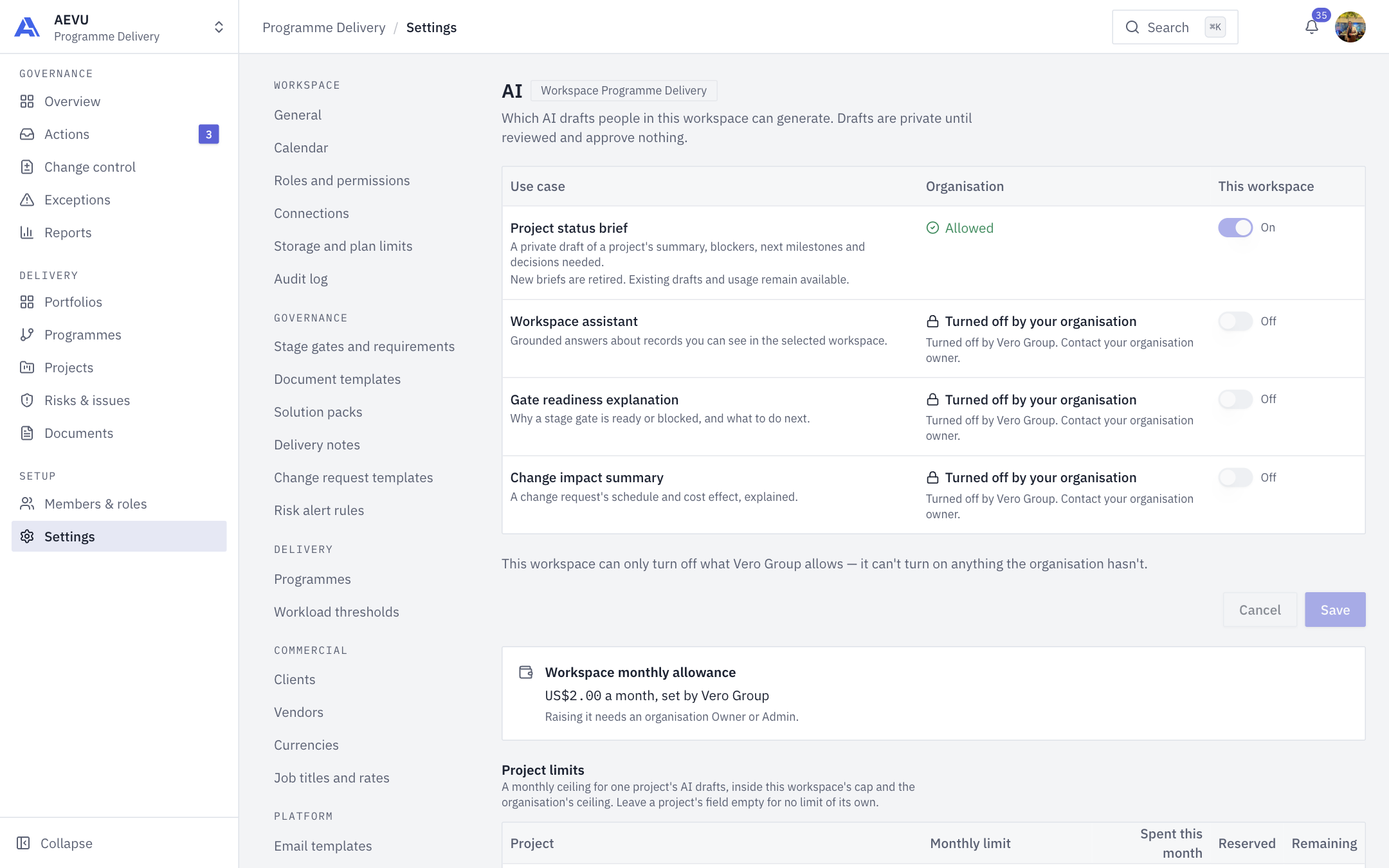
AI drafts and briefs
Besides chatting with Ari, AEVU can generate private drafts from your records: explanations that you read, check and, if useful, copy into your own work.
What a draft is
- Private to you. The draft is labelled "AI draft · Only you can see this · as of …". No one else can open it.
- Grounded. Every statement cites a record (risks, milestones, gates, changes and so on). Chips open the source. Instructions hidden inside record text are treated as data, never obeyed.
- A suggestion, not a decision. Drafts approve and change nothing.
The explanations
| Use case | Where | What you get |
|---|---|---|
| Gate readiness explanation (button Explain readiness) | A project's stage gate | Why the gate is ready or blocked, and what to do next |
| Change impact summary (button Summarize) | A change request | The schedule and cost effect of the change explained |
| Ari answers | The Ari panel | Conversational answers (see Ari) |
| Project status brief | Retired | New briefs are no longer created. Existing drafts and their usage stay readable |
Buttons show how much allowance remains before you start. The check does not reserve anything or call the model. Use Regenerate or Try again to run a fresh one.
Staleness
A draft is compared with today's data without calling the model. If a record it cites changed, moved out of your sight or disappeared, it is marked Source data changed — regenerate. Records the draft does not cite never make it stale.
Who can generate, and who is withheld
You need ai.use, a project you can see, and every required data category allowed by the organisation. If any of that is lost, the whole draft text is withheld ("access narrowed"), because removing citations alone would leave the prose.
| Use case | Required data | Optional |
|---|---|---|
| Ari answer | schedule | risks, changes, gates, workload, finance, stakeholders |
| Gate readiness | gates | none |
| Change impact | changes, schedule | finance |
Finance is read only when the organisation allows it and you hold payment.view.
Feedback
On a draft you can rate it useful or not useful, tick what was wrong (unsupported statement, missing context, wrong fact, other) and add a comment of up to 1,000 characters. Feedback is collected for evaluation; it is not shown in any screen yet. Comments are deleted with the draft.
Retention
The organisation chooses how long draft text is kept (7, 14 or 30 days). After that the text and evidence are purged and the draft reads as purged with its expiry date. Cost records stay.
Common messages
| Message or code | Meaning |
|---|---|
ai.budgetExhausted | An allowance is used up (organisation, workspace or project) |
ai.rateLimited | Too many runs: by default 10 drafts per person per hour (Ari chat is counted separately, at 50 questions per minute), and at most 8 live runs per workspace or 20 per organisation. The operator can change these |
ai.accessNarrowed | Your access or the policy changed; the text is withheld |
ai.interrupted | The run was interrupted; try again |