

Appearance
Reports
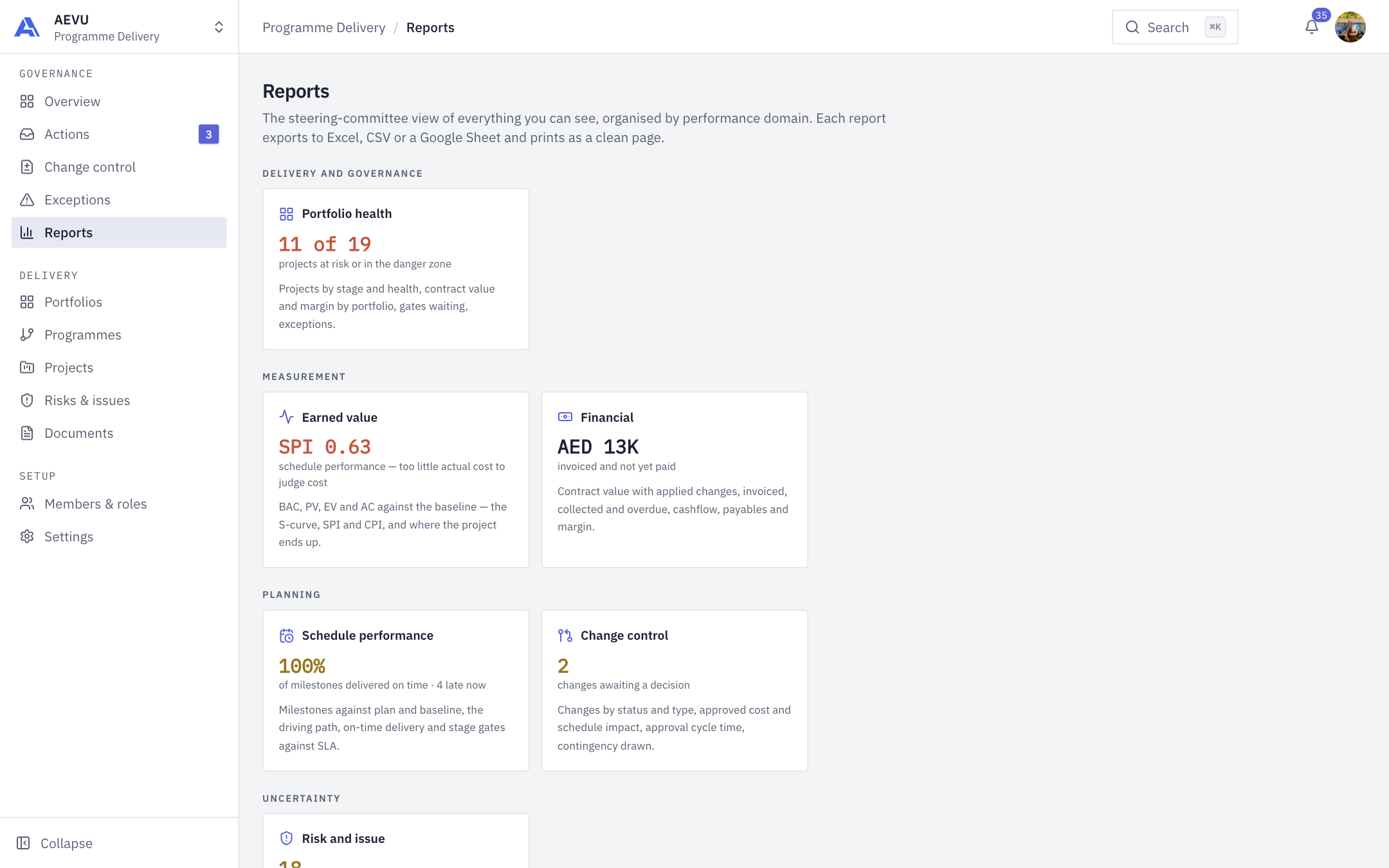
Reports gives steering committees eight live reports, grouped by performance domain, all calculated from your existing registers.
Who can use it
You need reports.view. Exporting needs reports.export as well. Reports cover only projects you can see in the current workspace. Money, risk, issue, change and document sections need the matching view permission (payment.view, risk.view, issue.view, changerequest.view, document.view, audit.view); a section you cannot read is left out and noted in the header.
The hub and the filters
The Reports hub shows one card per report with a live headline figure, grouped under Delivery and governance, Measurement, Planning and Uncertainty. Open a card for the full report.
Each report has a filter row:
- Portfolio, then Programme, then Project.
- From and To dates.
- Solution pack and site code, when your projects use them.
- On Earned value: a data date (not later than today) and a baseline to compare with.
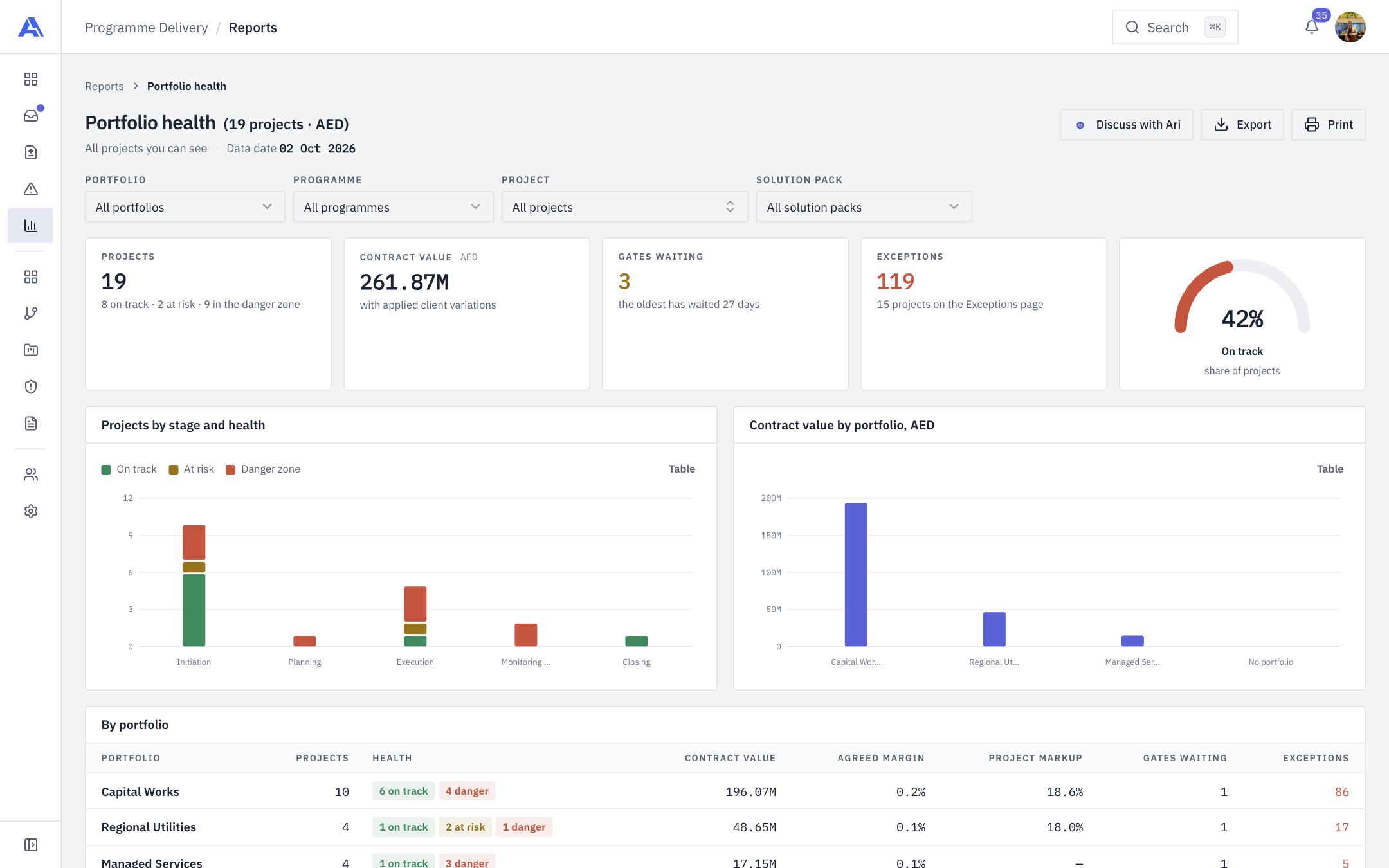
Filters are remembered per report, except the earned value data date and comparison. Every report has Discuss with Ari, Export (for holders of reports.export) and Print (A4 landscape layout) (see Meet Ari).
The eight reports
| Report | What it tells you |
|---|---|
| Portfolio health | Overall health and stage spread. Counts exceptions with the same rules as Exceptions |
| Earned value | Time-phased cost and schedule performance (method below) |
| Financial | Receivable, received, payable, paid out, resource and manager cost, committed and estimated profit, overdue invoices, delivered-not-invoiced, and a monthly cashflow with forecast |
| Schedule performance | Slip against planned dates, moved-by-changes, on-time delivery, the driving path, and gate SLA performance |
| Change control | Approved vs open changes, cycle time per approval level, contingency drawn |
| Risk and issue | Open risks and issues, high-level counts (level 15 or more), monthly exposure, overdue actions |
| Resource utilisation | Bookings per person per month, bench, over-allocation |
| Governance and compliance | Gate throughput and decisions, and compliance with mandatory document requirements of reached stages |
INFO
Schedule performance and earned value use different SPI definitions on purpose. The health SPI is progress divided by elapsed time; the earned value SPI is EV divided by time-phased planned value.
Earned value method
- Units: live leaf tasks, plus live milestones with no tasks, weighted equally. So earned value today is budget at completion (BAC) times register progress.
- BAC is a cost budget. For a client engagement it is (contract value plus applied client variations) less the profit margin. With no margin, contract value is used. For internal and funded initiatives it is the planned budget plus applied variations. The page's caption states which basis applies.
- Baselines are rebuilt from applied change requests: version 0 is the plan before the first applied change.
- PV spreads each unit linearly over its baseline dates. EV is today's progress; earlier points are reconstructed and flagged as such.
- AC is estimated from task allocations (cost spread over working days), the manager's monthly overhead and, with
payment.view, vendor lines and payables once paid or due. - Formulas: SV = EV − PV, CV = EV − AC, SPI = EV / PV, CPI = EV / AC, EAC = BAC / CPI, ETC = EAC − AC, VAC = BAC − EAC, TCPI = (BAC − EV) / (BAC − AC). A zero divisor shows "—".
- If actual cost is too thin to judge (it covers less than a third of EV), the cost measures are withheld with an explanation; schedule measures stay.
The Portfolio health report, with its filters, headline tiles and charts:
Exporting
- Open a report and set the filters.
- Click Export.
- Choose a format (Excel, CSV, or a new Google Sheet), the columns to keep, and for Google tick the confirmation that it is an external copy.
- Wait for the job to finish, then Download (files are kept for a few days) or open the sheet.
A Google Sheet export is created in your own Drive and needs the Google Sheets integration. You can have at most three exports running at once. See Integrations.