

Appearance
Change request templates
Change request templates are pre-written change requests for changes that keep happening. A template fills the type, category, source of funding and impact fields. The person raising the request edits from there.
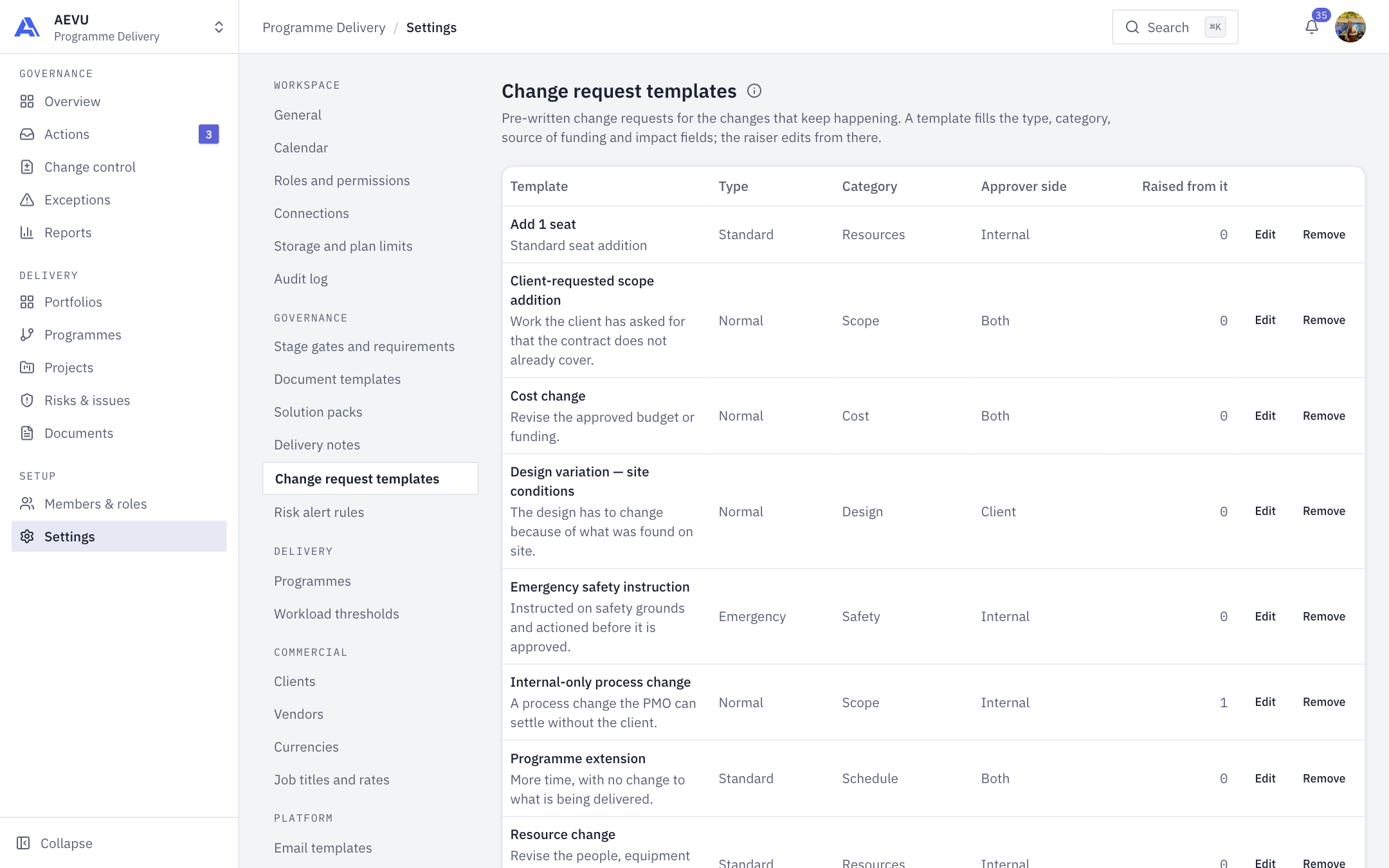
Who can open it: template.view. Who can edit: template.manage (Owner, Admin and PMO by default).
New workspaces start with five templates (scope, schedule, cost, resources, risk) and no change requests raised.
Add or edit a template
- Open Settings → Governance → Change request templates.
- Select Edit on a row, or add a new template below the table.
- Fill in the dialog and save.
| Field | Options and rules |
|---|---|
| Name | Required, up to 200 characters |
| Description | Up to 2000 characters. Shown on the list |
| Category | Required, must be an active category |
| Type | Standard (pre-approved, approves itself on submit), Normal (change-control board), Emergency (actioned first, reviewed after) |
| Approver side | Internal, Client, Both |
| Priority | Low, Medium, High, Critical |
| Source of funding | Project contingency, Requires special approval, Internal resources, Other cost centres |
| Default description / justification | Up to 4000 characters each |
| Schedule impact (days) | Whole number |
| Currency, One-time cost, Recurring cost, VAT | Costs are not negative, at most 2 decimals. Currency defaults to the reporting currency |
| On the list | Whether the template is offered |
The table shows Template, Type, Category, Approver side and how many requests were Raised from it.
Remove deletes a template. It no longer appears, and requests already raised keep their content.
Categories
The Categories card is the list of what a change is a change to. Add, rename and deactivate categories. A category that still has active templates under it can't leave the picker, so move or deactivate those templates first.
TIP
Use Standard type only for genuinely pre-approved changes. It approves itself on submit.