Appearance
Overview dashboards
The Overview is the first screen you see after signing in. It shows the dashboard that fits your role in the current workspace.
Who sees which dashboard
| Your role | Dashboard(s) you get |
|---|---|
| Manager | PM |
| PMO | PMO |
| Admin | Administrator |
| Owner | PMO and Administrator |
| Finance | Finance (a PM-style view focused on money) |
| Custom role | The dashboards of the built-in role it is based on (Manager, Admin or Owner) |
When more than one dashboard is available, a switcher appears at the top right (for example PMO and Administrator; the other labels are Project manager and Finance). AEVU remembers your last choice. Opening a dashboard your role does not include is refused.
See Roles at a glance and Roles & permissions.
INFO
Everything on a dashboard is calculated live from your registers. Nothing is stored separately, so the numbers always match the screens they link to.
How the cards behave
- A list card shows the first few rows and a link such as See all 3 to the full screen.
- Each card loads on its own. If one fails it says "This section could not be loaded." and the rest keep working.
- Money is converted to the workspace's base currency. An amount with no usable exchange rate is shown separately and never counted as zero.
- Only projects you are allowed to see are counted. See Key concepts.
PM dashboard
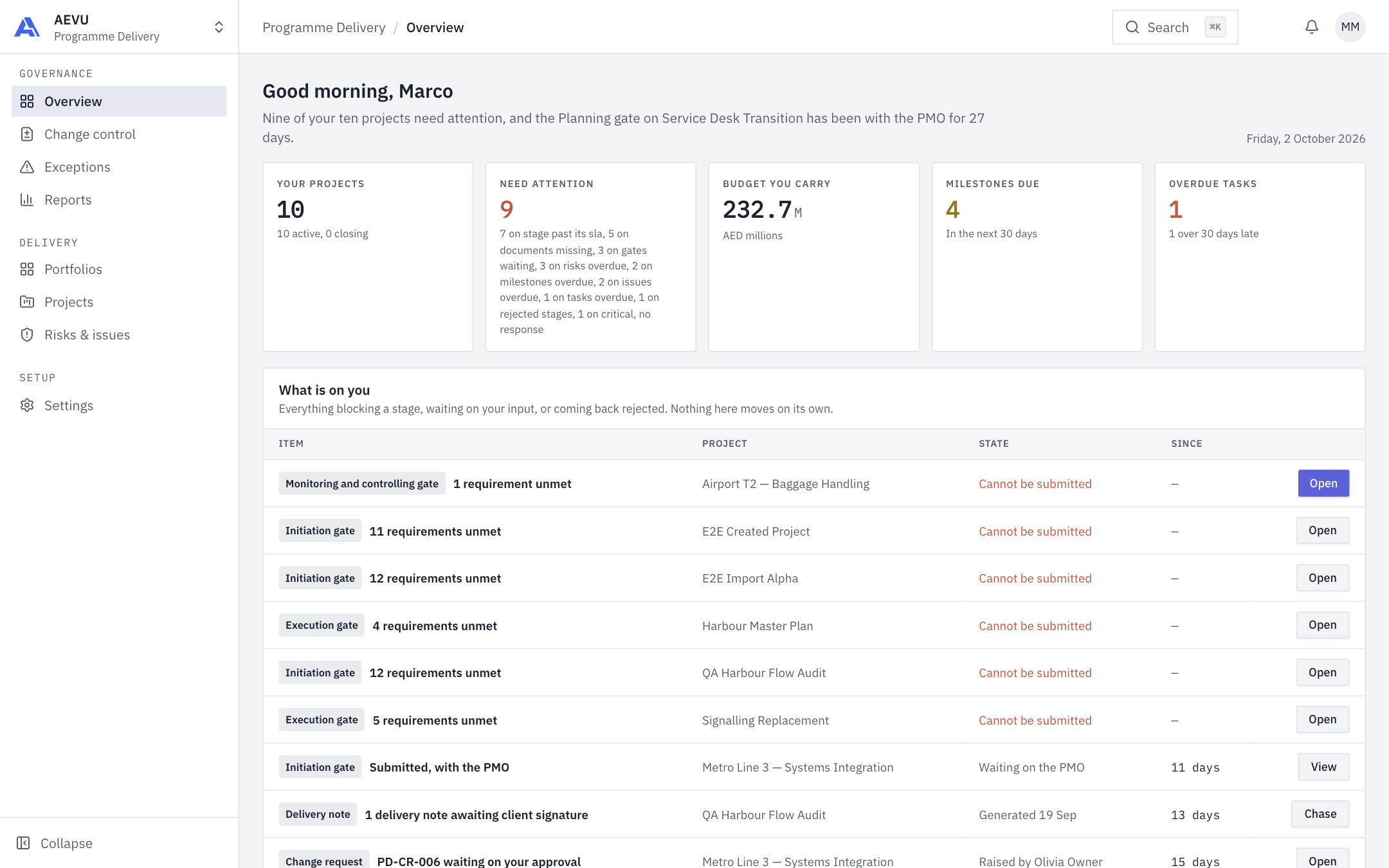
For project managers. It covers the live projects you manage. Tiles: Your projects, Need attention, Budget you carry, Milestones due and Overdue tasks.
- Your projects: how many are active and closing, with progress and schedule for each.
- What is on you: gate requirements unmet, documents returned, change requests waiting on you, your gates waiting with the PMO, and delivery notes awaiting client signature.
- Milestone delivery: completed, overdue, due in 30 days, scheduled.
- Overdue tasks, by how late: bands of 1–7, 8–30, 31–90 and over 90 days.
- Your risk register: open risks by level. Needs the
risk.viewpermission. - Projects that need attention use the same rules as Exceptions.
PMO dashboard
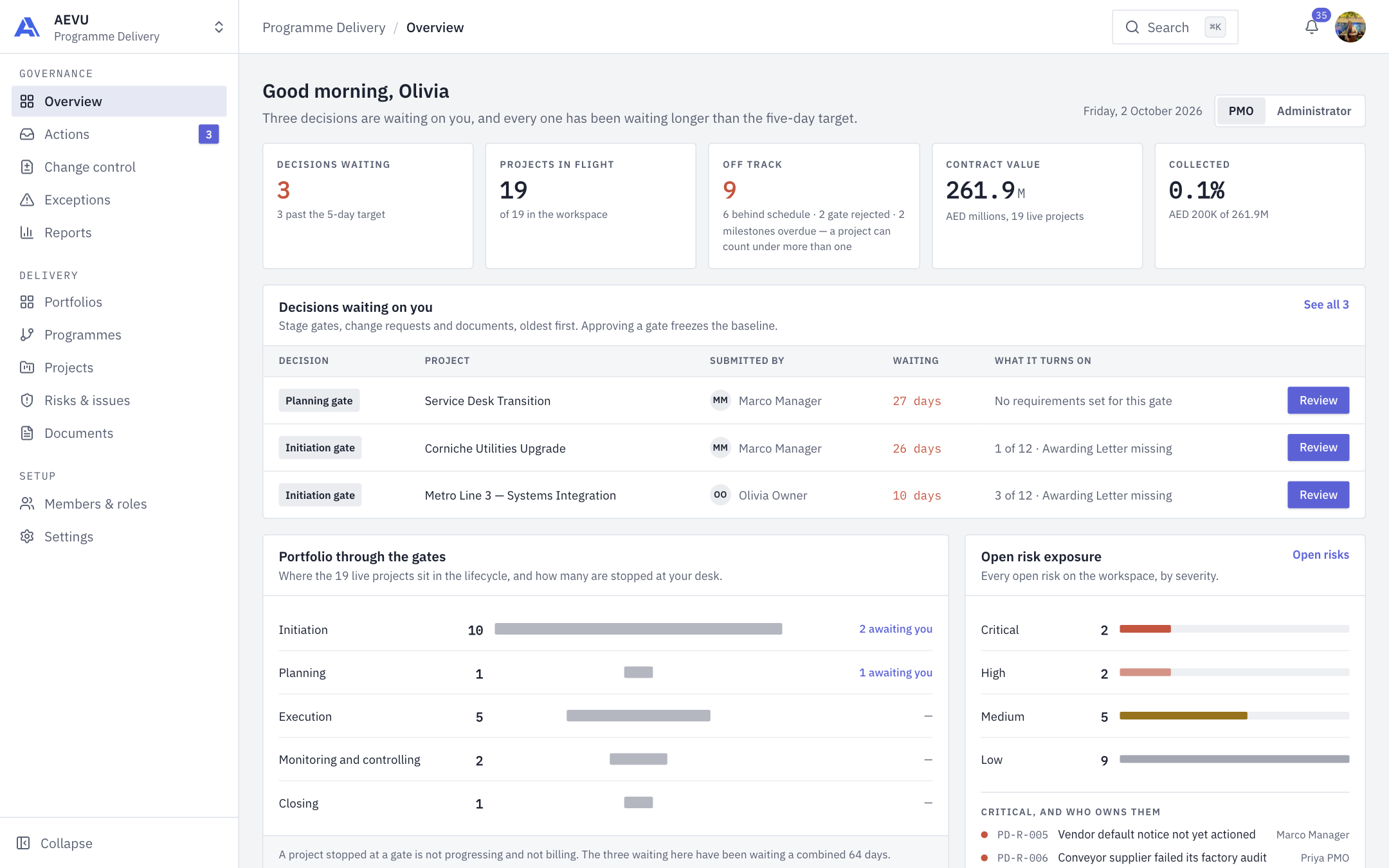
For the PMO. It covers every project you can see. The tiles are Decisions waiting, Projects in flight, Off track, Contract value and Collected.
- Decisions waiting on you: stage gates, documents under review and change requests you can sign, oldest first. An item is "past target" once it has waited five days. Review opens it (see Actions & approvals).
- Off track: projects in the danger zone (an overdue milestone, schedule performance below 0.85, or a rejected gate).
- Portfolio through the gates: live projects by lifecycle stage, and how many are awaiting you.
- Projects needing attention: the same list and count as Exceptions.
- Change control: where every open change request stands this quarter (see Change control).
- Open risk exposure: open risks by severity, with the critical ones and their owners.
- Contract value, invoiced, collected and overdue figures. Payment figures need
payment.view.
Administrator dashboard
For admins (and owners, through the switcher). Tiles: People, Invitations pending, Integrations failing, Configuration gaps and Audit entries. It answers "is this workspace set up properly?"
- People and access: seats and free seats, pending and stale invitations (stale means sent more than 14 days ago), members who never signed in or have been inactive 90+ days, members without a job title.
- Integrations: status of NetSuite and Entra ID, with Run now for NetSuite if you hold
settings.manage. See Integrations. - Is this workspace actually configured: checks for stage requirements, document templates, job-title rates, currency rates, delivery-note template, email templates and PMO approvers. Each gap links to the right Settings page.
- Delivery, at a glance: live projects, off track, contract value, and all decisions waiting in the workspace.
- Recent activity: the latest audit entries you may view.
Finance dashboard
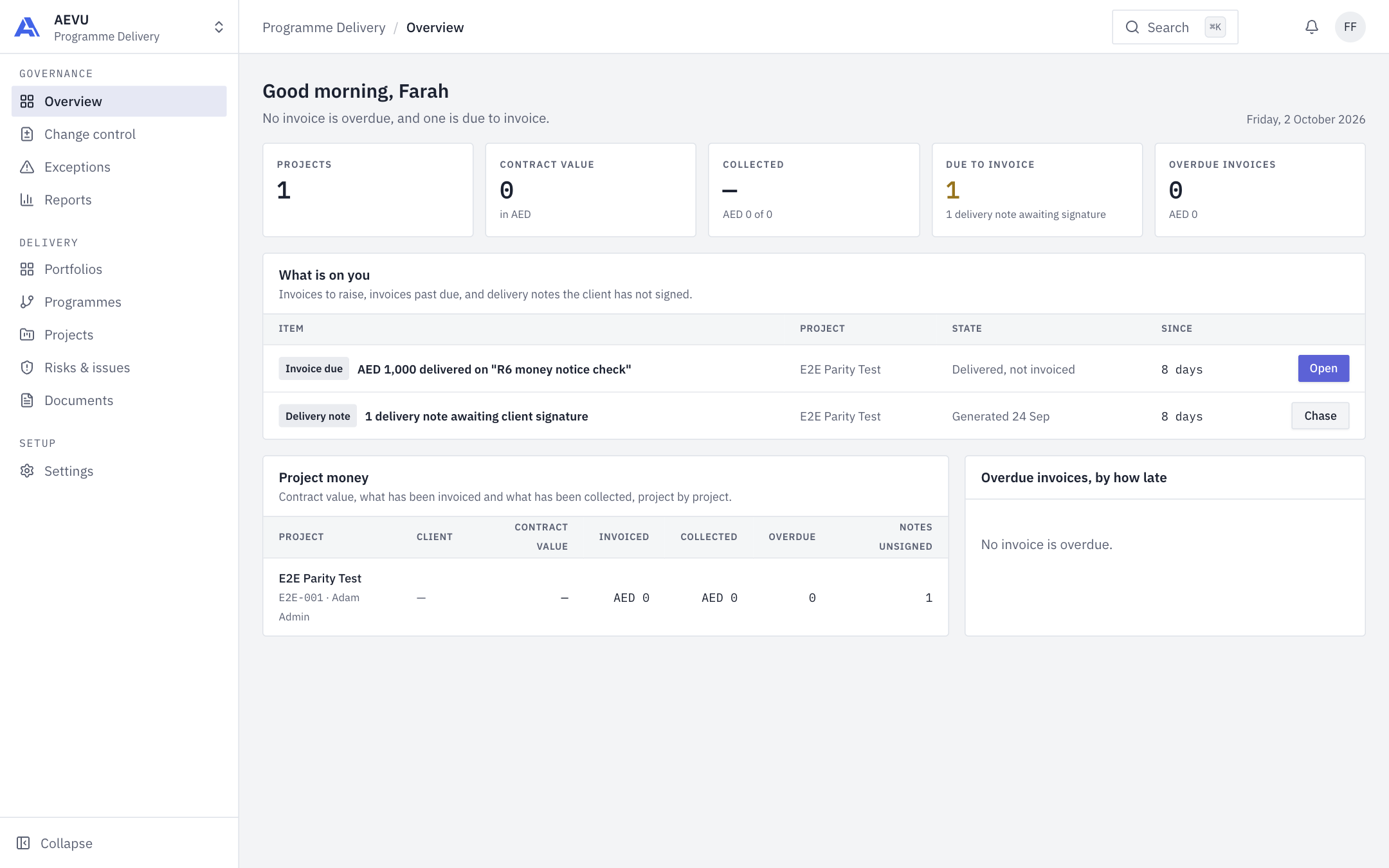
For the Finance role. Five tiles across the top (Projects, Contract value, Collected, Due to invoice, Overdue invoices) sit above the cards below.
- Project money: per project, Client, Contract value, Invoiced, Collected, Overdue and Notes unsigned.
- What is on you: invoices to raise, invoices past due and delivery notes the client has not signed, with Open or Chase buttons.
- Overdue invoices, by how late.