

Appearance
Integrations overview and who configures what
AEVU connects to the tools your organisation already uses. Every connection is optional, and each one is switched on in layers so that nothing is exchanged unless the right people have agreed to it.
What you can connect
| Integration | What it does for people | Page |
|---|---|---|
| Microsoft Entra ID | "Continue with Microsoft" on the sign-in page | Microsoft Entra ID sign-in |
| "Continue with Google", import a Google Sheet, link Drive files, export a report to a new Google Sheet | Google sign-in & Sheets | |
| OneDrive / SharePoint | Paste a link to a file kept in OneDrive or SharePoint on a project's Documents | Microsoft 365 links |
| NetSuite | Import projects, with the client each is billed to, from a NetSuite saved search | NetSuite |
| Teams / Google Chat | Short alerts posted to a channel or space | Notifications |
| CSV / Excel / Google Sheets | Export any report as filtered on screen | Exports |
| Email (SMTP) | Invitations, password recovery, billing receipts | Email delivery |
Who configures what
| Capability | Platform operator (AEVU) | Organisation Owner / Admin | Workspace Owner / Admin | Each person |
|---|---|---|---|---|
| Microsoft sign-in (Entra ID) | Makes the capability available | Allows Microsoft 365 for the organisation and ticks the workspace (Organisation → Integrations) | Registers their own Entra app, pastes tenant ID, client ID and secret in Settings → Connections, tests, switches on | Signs in with Microsoft, or links their account from Profile |
| OneDrive / SharePoint links | Makes the capability available | Allows it | none | Pastes a link in a project's Documents |
| Teams notifications | Makes the capability available | Allows it | Creates a Teams Workflow, pastes its URL in Settings → Channel notifications, sends a test, adds a rule | none |
| Google (sign-in, Sheets, Drive, Chat) | Sets one platform-wide Google OAuth client, secret and Picker key, and publishes the consent screen | Allows Google | Turns on the workspace switches | Connects their own Google account |
| NetSuite | none | Allows it (plan must include it) | Pastes the NetSuite token details in Settings → Connections | none |
| Application email | Deploys one platform email sender | none | none | none |
Organisation owners do not paste Google keys
Google is configured once for the whole platform. Entra ID and NetSuite credentials belong to your own organisation and are entered by a workspace administrator.
The layers
A feature works only when every layer says yes. The first "no" is the answer, and the screen shows its reason.
- Platform — AEVU offers the capability at all.
- Plan — your subscription includes it (sign-in with Microsoft or Google needs no plan entitlement). Team adds Google, Microsoft and channel notifications; Enterprise adds NetSuite. See Plans, trials & billing.
- Organisation policy — an organisation Owner or Admin allows it at Organization → Integrations (see Organization).
- Workspace — the organisation allowed that workspace, and the workspace has not switched it off (Settings → Connections → Integrations for this workspace).
- The person — they hold the permission that capability needs (see Roles).
A workspace can only turn off what its organisation allows; it can never turn on anything the organisation has not.
Add a connection
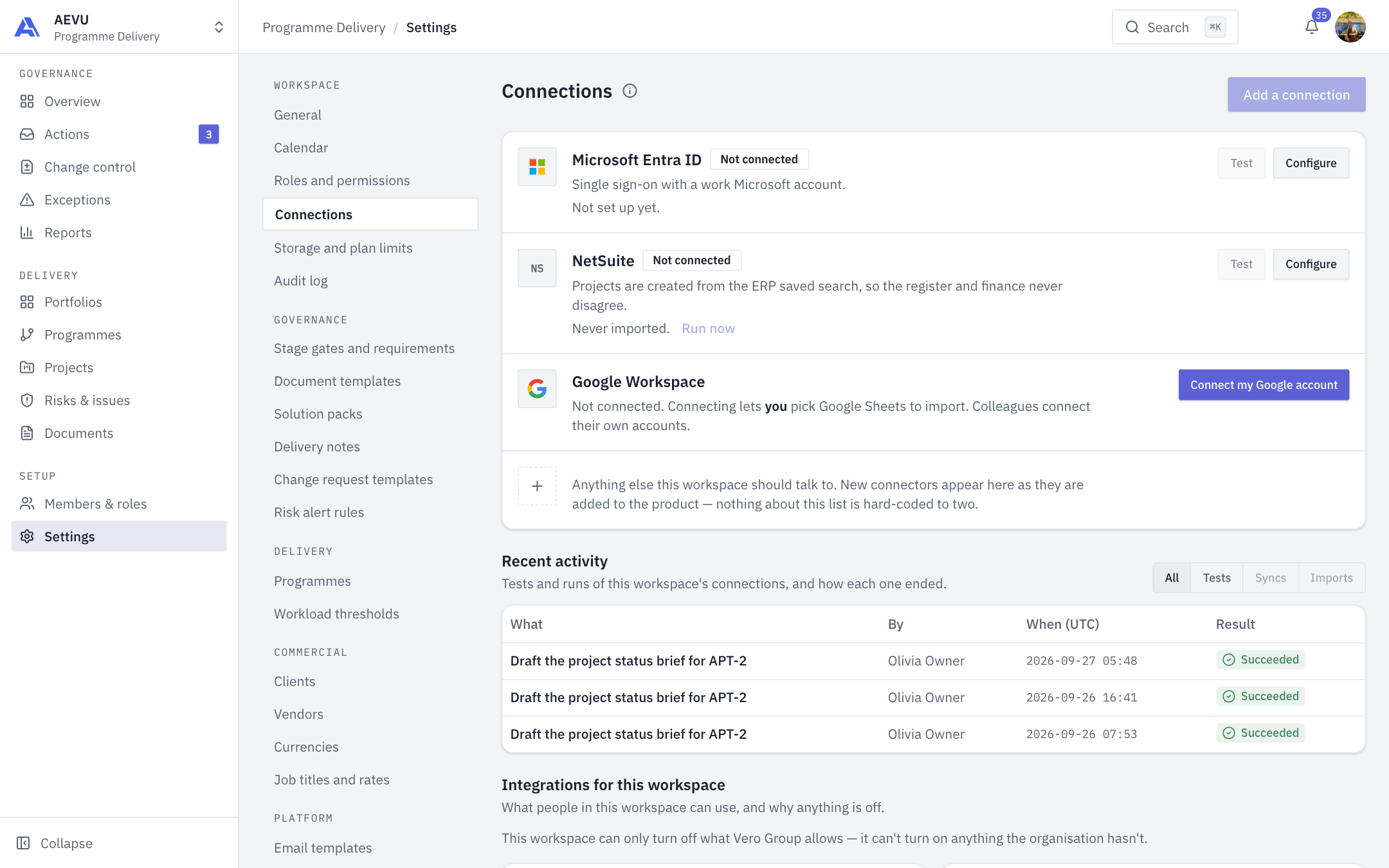
On Settings → Connections the Add a connection button is shown but disabled: connectors are part of the product rather than added by hand. Use Configure on the Microsoft Entra ID and NetSuite rows, and Connect my Google account on the Google row.
Where to look when something fails
Every test and run appears under Recent activity on Settings → Connections. See Connection jobs & troubleshooting.
Not yet proven on production
Real posts to Teams and Google Chat, and a production Google client, have not yet been exercised end to end. Check the status with your AEVU contact before relying on them for go-live.