

Appearance
Currencies & FX
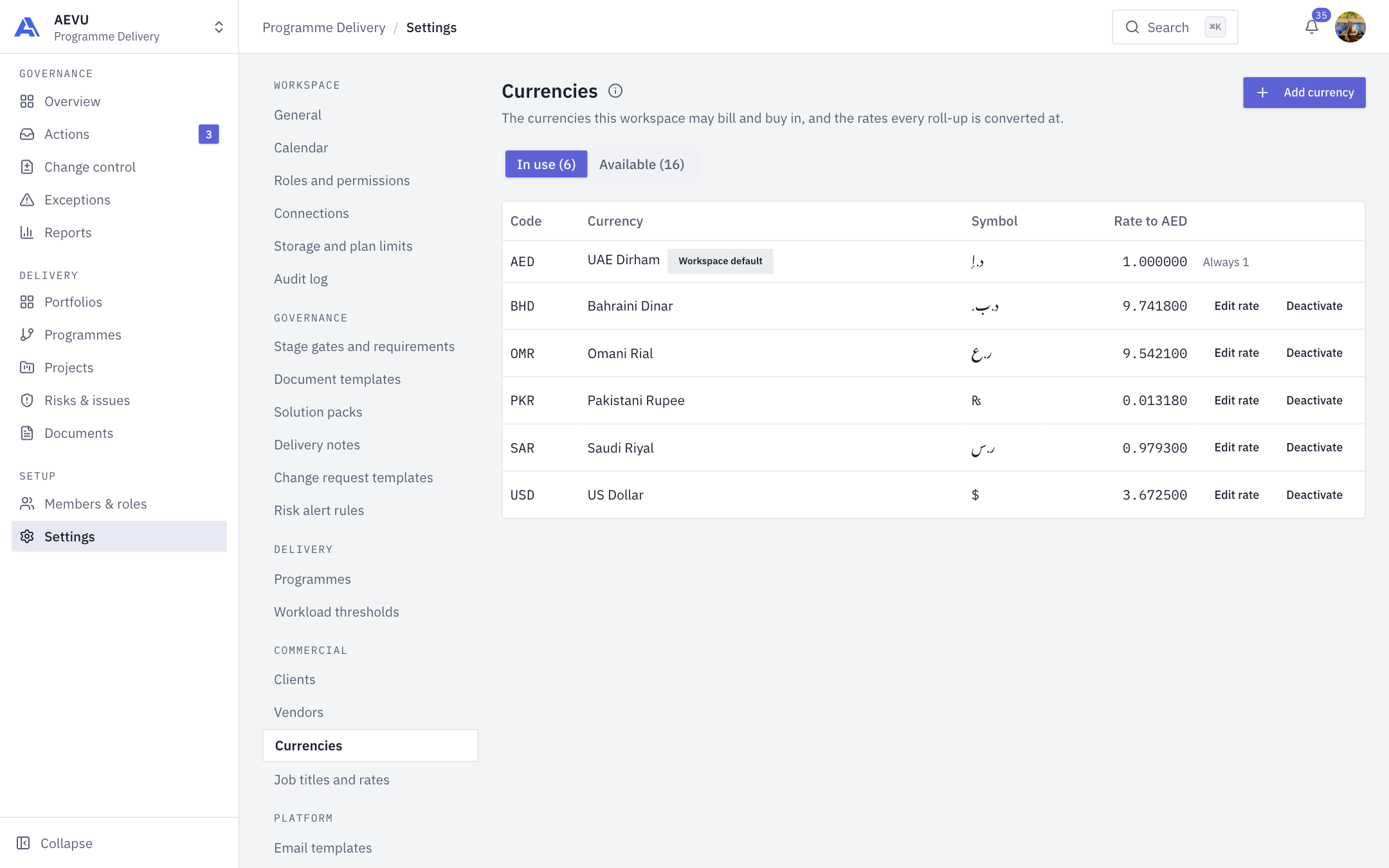
This page controls the currencies your workspace may bill and buy in, and the rates every roll-up converts at.
Who can open and edit it: reference.manage (Owner and Admin by default).
Two tabs
- In use lists currencies converting figures, with Code, Currency, Symbol and Rate to the reporting currency. The reporting currency is badged Workspace default and its rate is always 1.
- Available lists every code the workspace may pick from: those shipped with the product plus custom ones.
Being available does nothing until a currency is on the In use tab with a rate. A currency in use can't be removed from the available list. Nothing is ever deleted, because amounts recorded in a code must keep resolving.
Add a currency to In use
- On In use, select Add currency.
- Choose the currency.
- Enter Rate to your reporting currency, or select Fetch live to prefill it.
- Select Add currency.
Change a rate
Select Edit rate on the row, type a rate (up to six decimals) or select Fetch live, then Save. Fetch live only fills the field. Read it, then save. The toast shows the source.
Rates are stored to six decimal places so small currencies don't turn into rounding noise.
INFO
Rows tagged FX feed are refreshed from the exchange-rate feed, and opening this page refreshes them. A manual rate change makes the row person-managed, so later feed refreshes don't overwrite it. A currency with no quote shows Rate needed.
Deactivate
Deactivate stops a currency being offered. You can restore it later. Historical amounts are unaffected.
Custom currencies
On the Available tab, Add a custom currency needs a 3-letter code (ISO 4217), a name (up to 100), an optional symbol (up to 10, the code stands in if blank) and a display order. It is private to your workspace and converts nothing until you give it a rate on In use. Shipped currencies are shared and read-only.
WARNING
The reporting currency is fixed at signup and can't be changed. See General.